Hakros Portal Editor
A downloadable tool for Windows
Hi everyone.
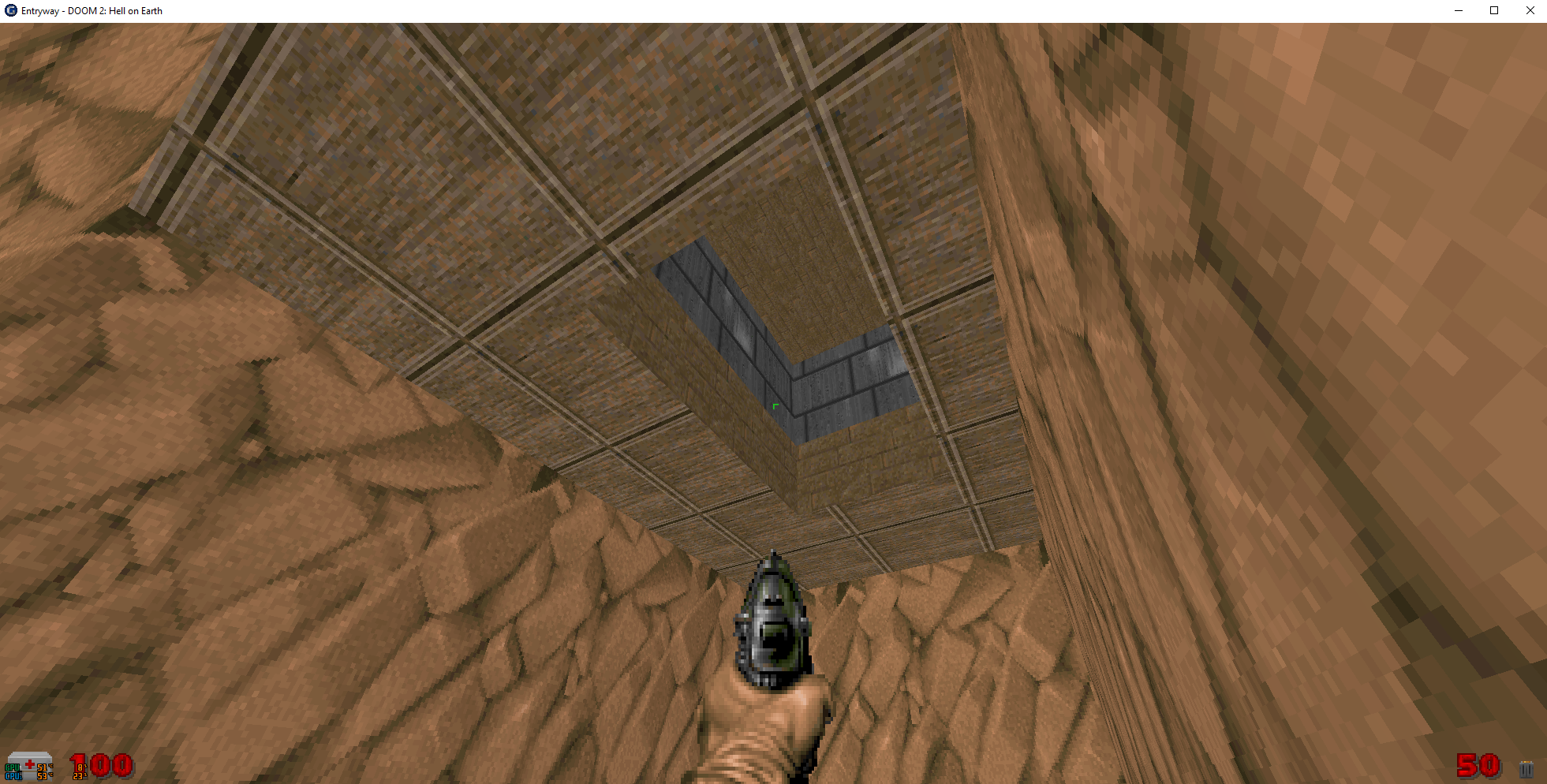
Hakros Portal Editor is a Windows desktop tool that configures stacked-sector vertical portals in Doom maps saved in UDMF format. It lets you connect a room directly above another room — so the player can look up (or down) through a seam and walk between the two levels — without hand-editing linedef arguments in Ultimate Doom Builder.
The tool reads a .wad file, finds its UDMF map, validates your sector and anchor-line choices, warns you about the common mistakes (height seams that don't line up, mismatched hole shapes, swapped anchor fields), and then writes the four Sector_SetPortal specials for you. It always saves a timestamped backup of the original .wad before writing any change.
Discord Community
https://www.hakros.com/discord/
This software requires .NET Core 8.0, you can find it here https://dotnet.microsoft.com/es-es/download/dotnet/8.0
What it does
- Opens any WAD and lists every UDMF map it contains.
- Resolves sectors and lines by the Tag / Line ID you see in Ultimate Doom Builder (with a raw index fallback).
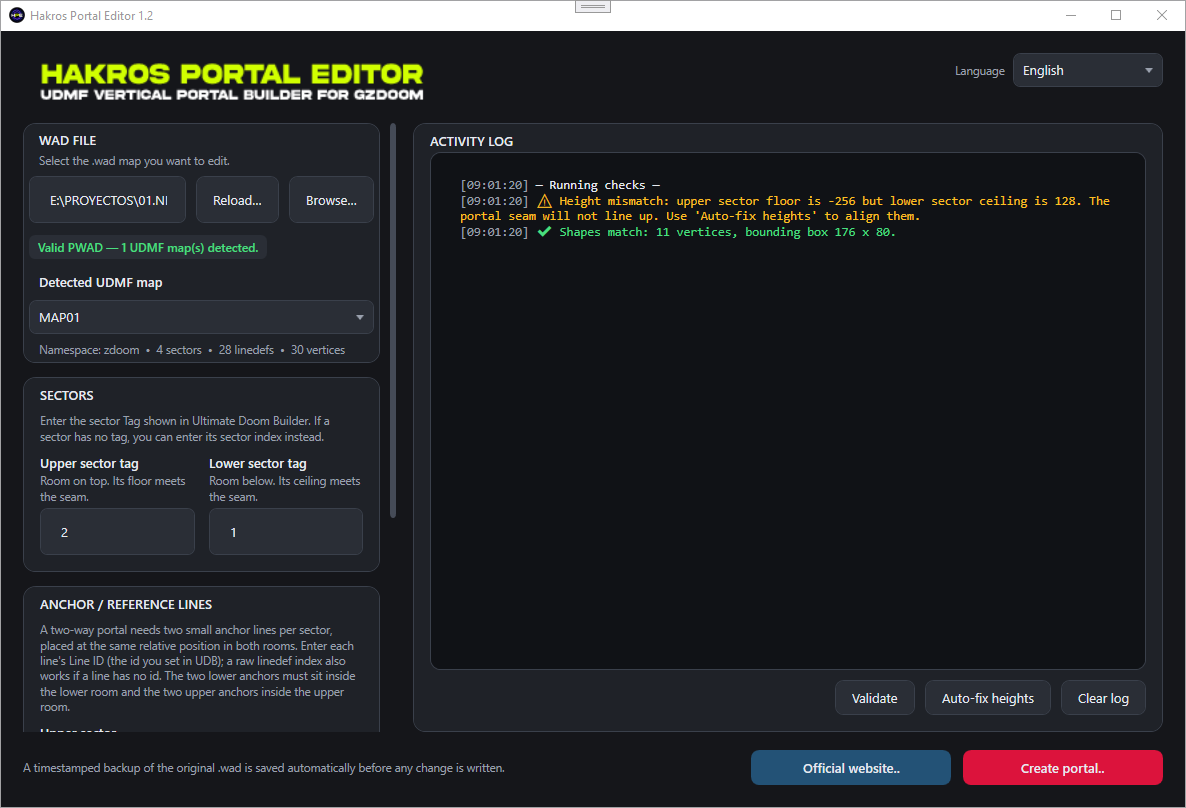
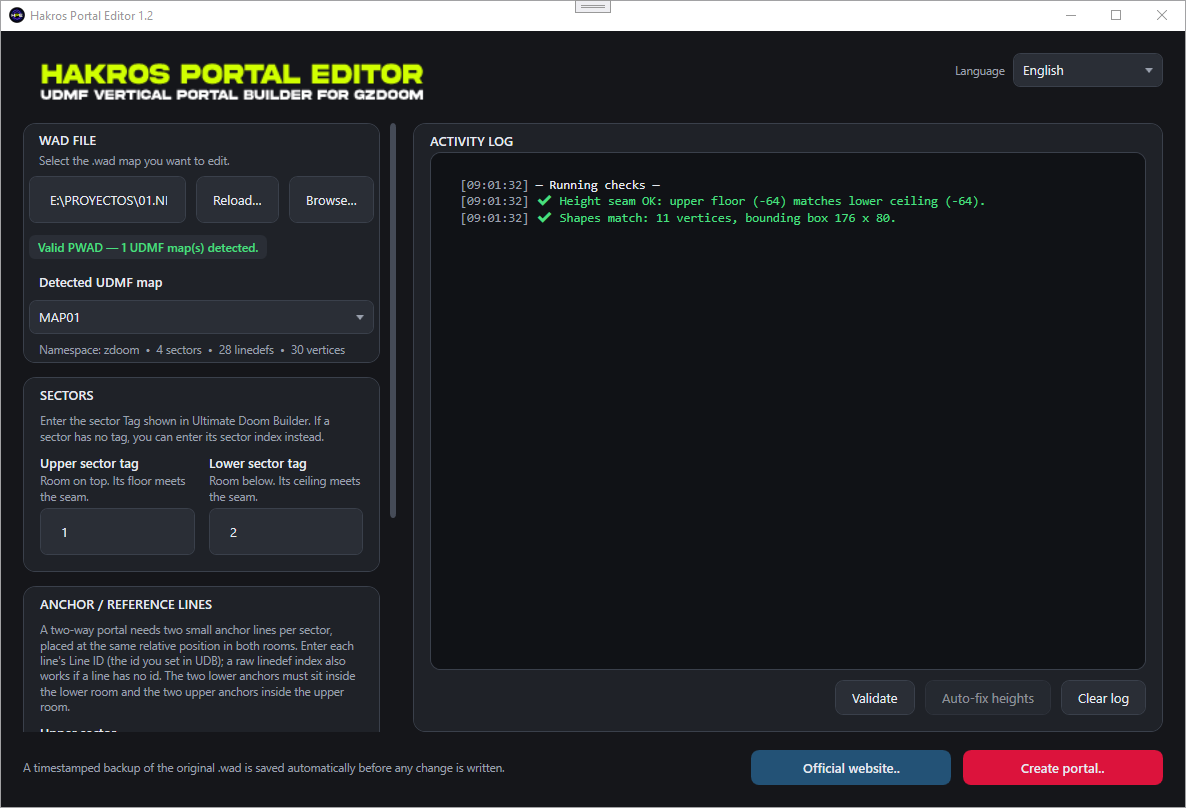
- Checks that the upper room's floor height matches the lower room's ceiling height, and offers a one-click Auto-fix.
- Checks that the two portal holes have a matching shape (vertex count and bounding box).
- Detects when the anchor fields look swapped between the two rooms.
- Writes the
Sector_SetPortalrecipe to the four anchor lines and assigns sector tags. - Saves the map back into the
.wad, after creating a timestamped backup. - Runs fully in English or Spanish, switchable at runtime.
Requirements
- Windows with the .NET desktop runtime the project targets (a WPF application).
- A map saved in UDMF format (the WAD must contain a
TEXTMAPlump). Classic binary maps are not supported — re-save the map as UDMF in Ultimate Doom Builder first. - A source port that supports
Sector_SetPortal, e.g. GZDoom.
The editor does not require Ultimate Doom Builder to run, but the workflow assumes you build your geometry there first.
Concepts you need to know
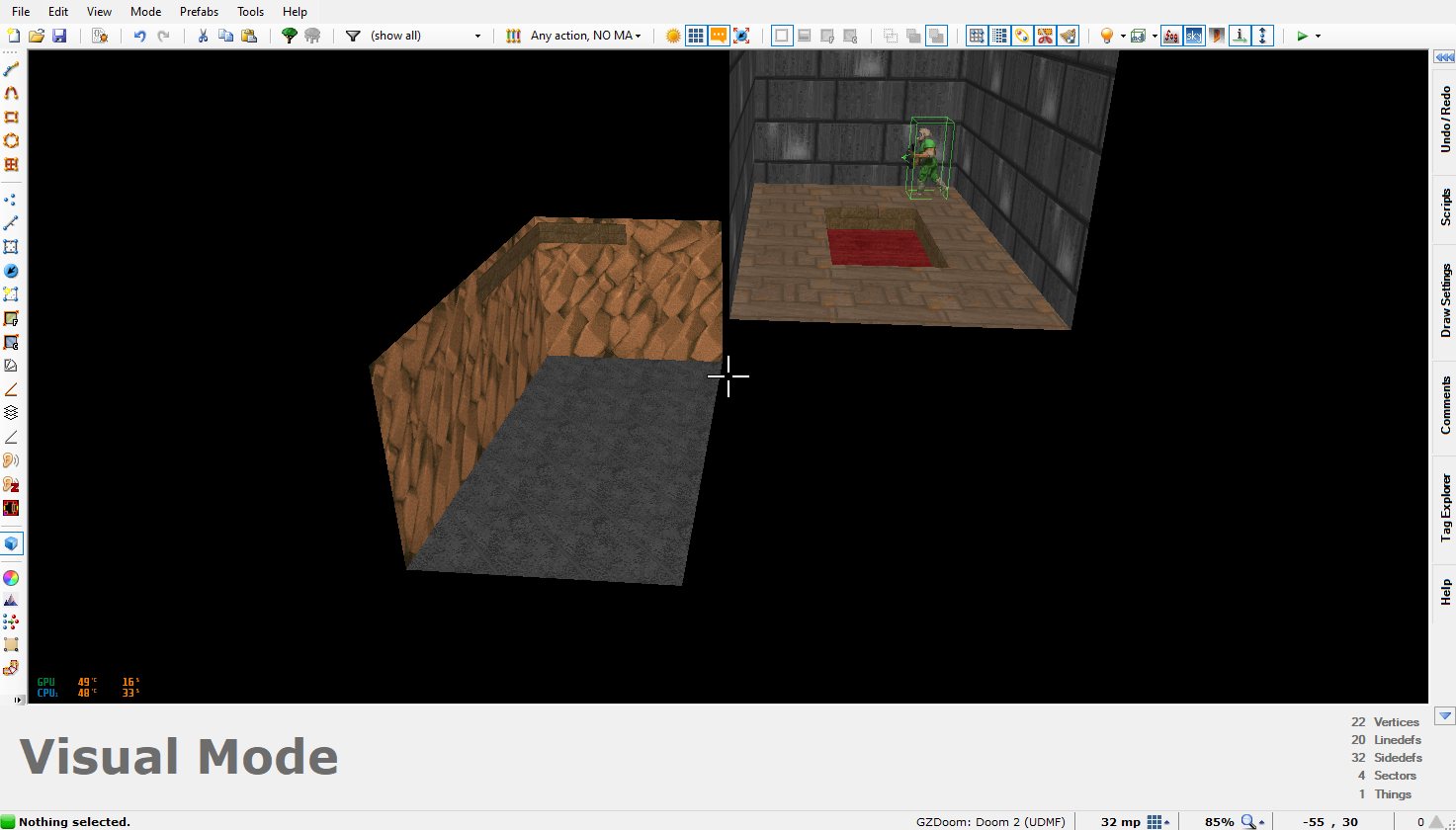
Stacked-sector vertical portal. Two sectors occupy the same X/Y footprint but sit at different heights: one room on top, one below. A portal fuses the upper room's floor with the lower room's ceiling so they read as a single continuous space.
Upper sector vs lower sector.
- The upper sector is the room on top. Its floor meets the seam.
- The lower sector is the room below. Its ceiling meets the seam.
Anchor (reference) lines. A two-way portal needs two small anchor lines per room (four lines total), placed at the same relative position in both rooms. They tell the engine where the portal surface is. Each room contributes one ceiling anchor and one floor anchor.
Tag / Line ID. In Ultimate Doom Builder, sectors and lines can carry an identifier (the UDMF id field). The editor expects the Tag of each sector and the Line ID of each anchor line. If an element has no id, you can type its raw array index instead and the tool will tell you how it interpreted the value.
The interface
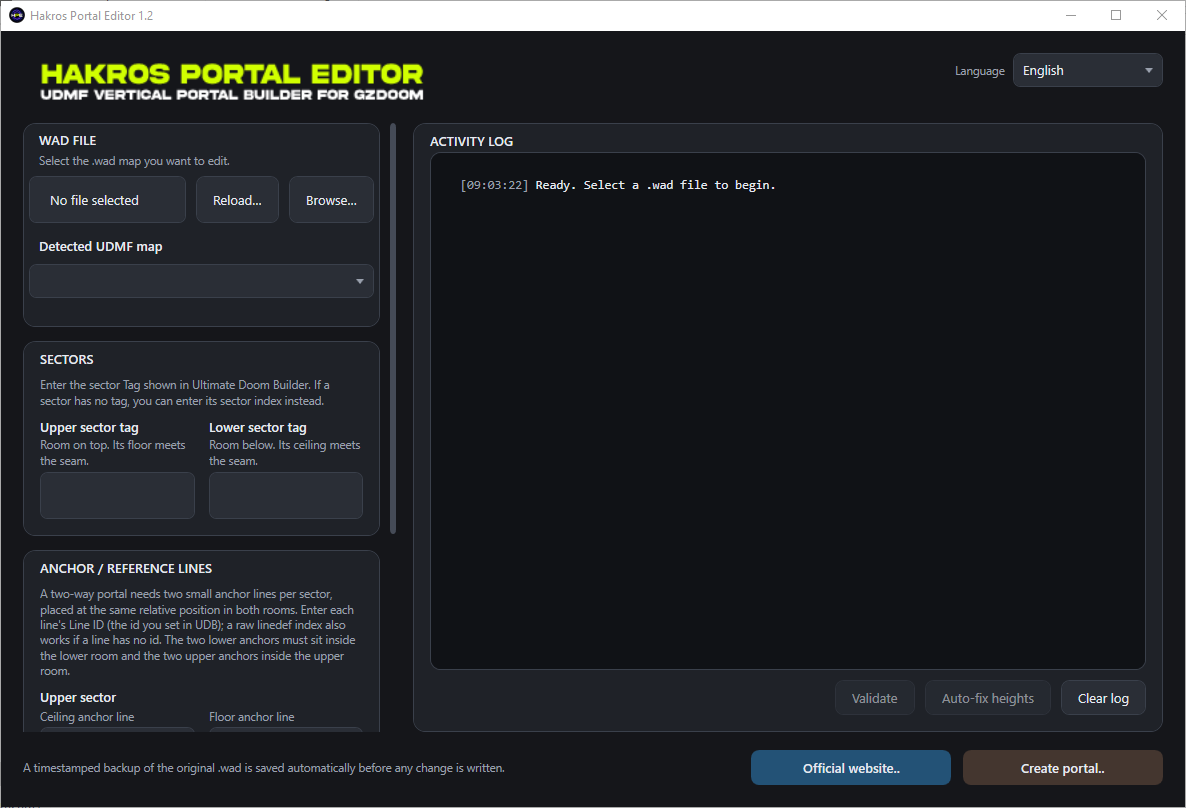
The window is split into a configuration column on the left, an activity log on the right, and a footer with the main action button. A language selector sits in the top-right corner.
1 · WAD file
Pick the .wad you want to edit with Browse…. The tool validates the file and reports how many UDMF maps it found. Choose the target map from the Detected UDMF map dropdown; the line below shows the map namespace and its sector / linedef / vertex counts.
2 · Sectors
Enter the Tag of the upper sector and the Tag of the lower sector (the number floating on the sector in UDB). If a sector has no tag, enter its sector index instead.
3 · Anchor / reference lines
Enter the Line ID of each anchor line, grouped by room:
| Room | Ceiling anchor line | Floor anchor line |
|---|---|---|
| Upper sector | ✔ | ✔ |
| Lower sector | ✔ | ✔ |
The two lower anchors must sit inside the lower room, and the two upper anchors inside the upper room.
4 · Options and checks
- Portal type — Interactive (walkable) (type 6) lets the player pass through; Visual only (type 0) is a view-through window.
- Validate — runs every check and prints the results to the log without changing anything.
- Auto-fix heights — becomes available when a height mismatch is found; aligns the upper floor to the lower ceiling.
Activity log
Every action, check result, and error is timestamped and color-coded (info / success / warning / error). Use Clear log to reset it.
Footer
Create portal & save applies the configuration and writes the file. The note reminds you that a backup is made automatically first.
Step-by-step: creating a vertical portal
- Prepare the geometry in UDB. Build the upper and lower rooms over the same footprint. In each room, draw the small anchor lines (one for the ceiling pair, one for the floor pair) at the same relative position. Give each anchor line a Line ID, and give each sector a Tag. Save the map as UDMF.
- Open the WAD. Launch Hakros Portal Editor, click Browse…, and select your
.wad. Confirm the status badge says the WAD is valid and pick your map. - Enter the sector tags. Type the upper sector Tag and the lower sector Tag.
- Enter the four anchor Line IDs. Fill the ceiling and floor anchor for the upper room, and the ceiling and floor anchor for the lower room.
- Choose the portal type. Leave it on Interactive (walkable) for a portal the player can walk through.
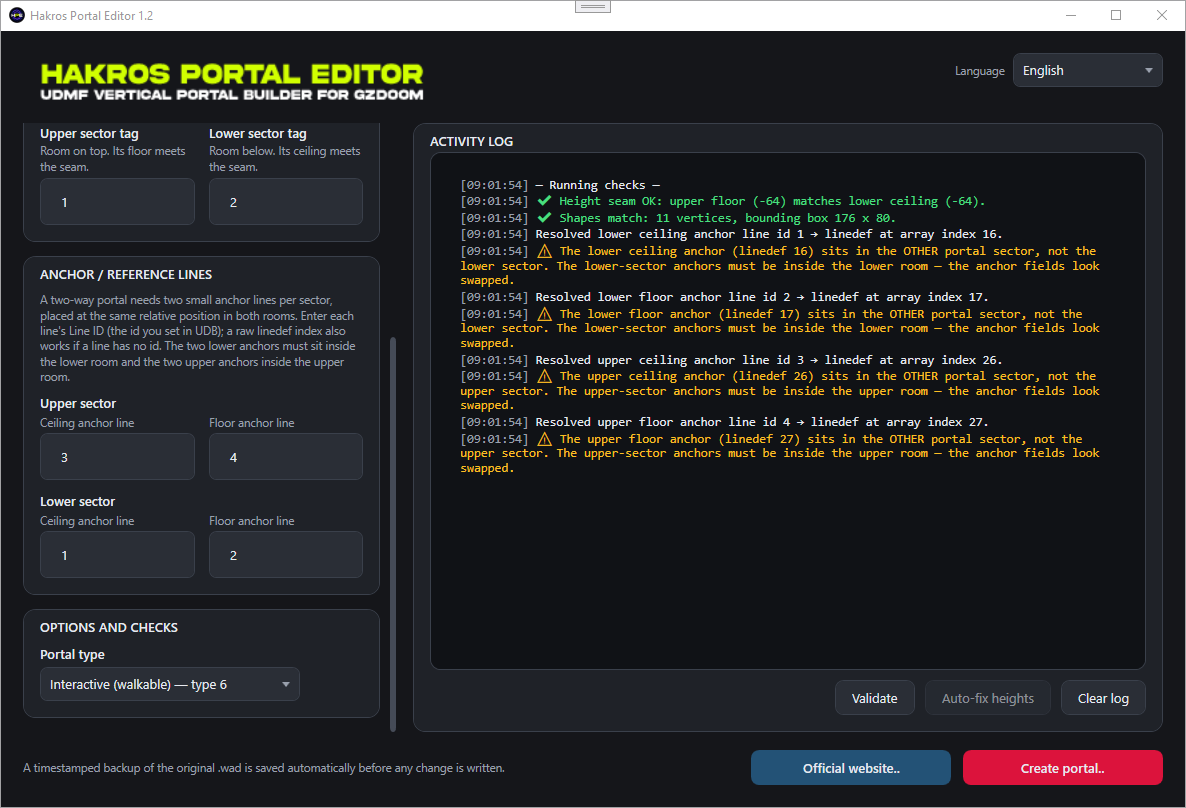
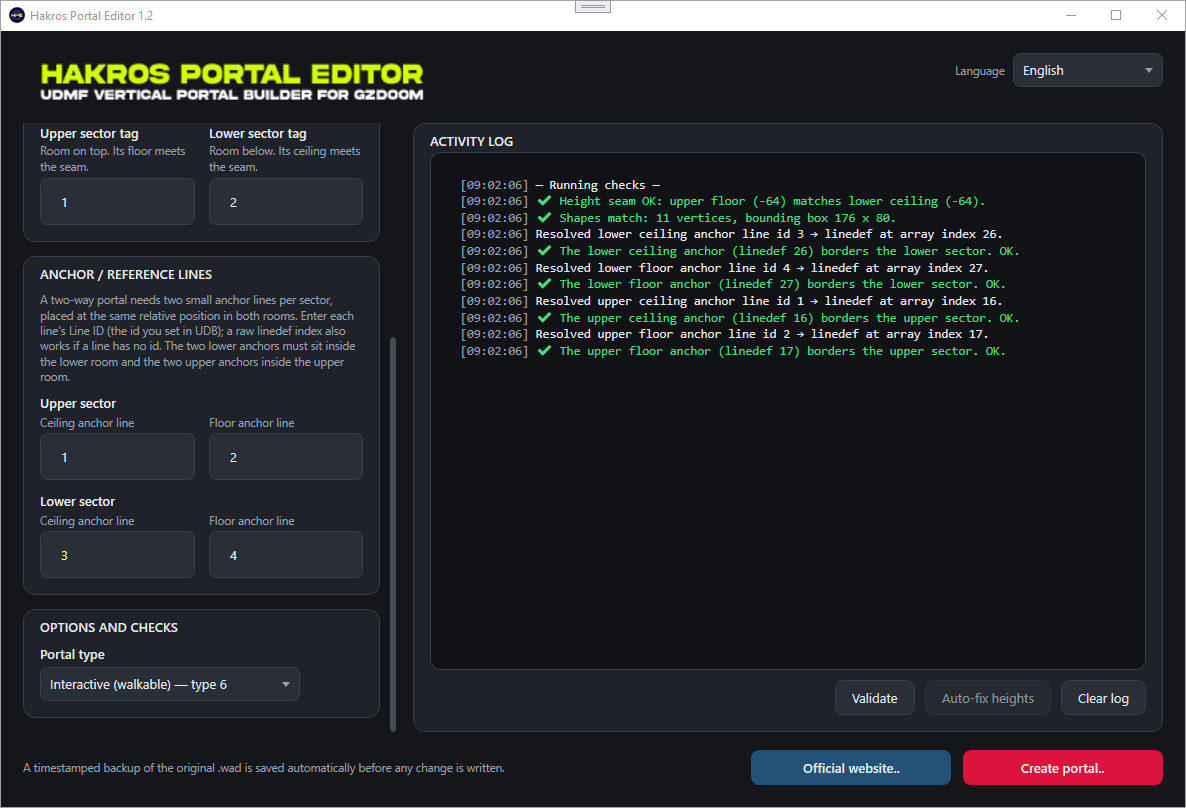
- Click Validate. Read the log. Resolve any warnings:
- If heights don't match, click Auto-fix heights.
- If an anchor "sits in the OTHER portal sector", your fields are swapped — move that value to the matching room.
- Click Create portal & save. Confirm the dialog. The tool backs up the original, writes the four specials, and saves the WAD.
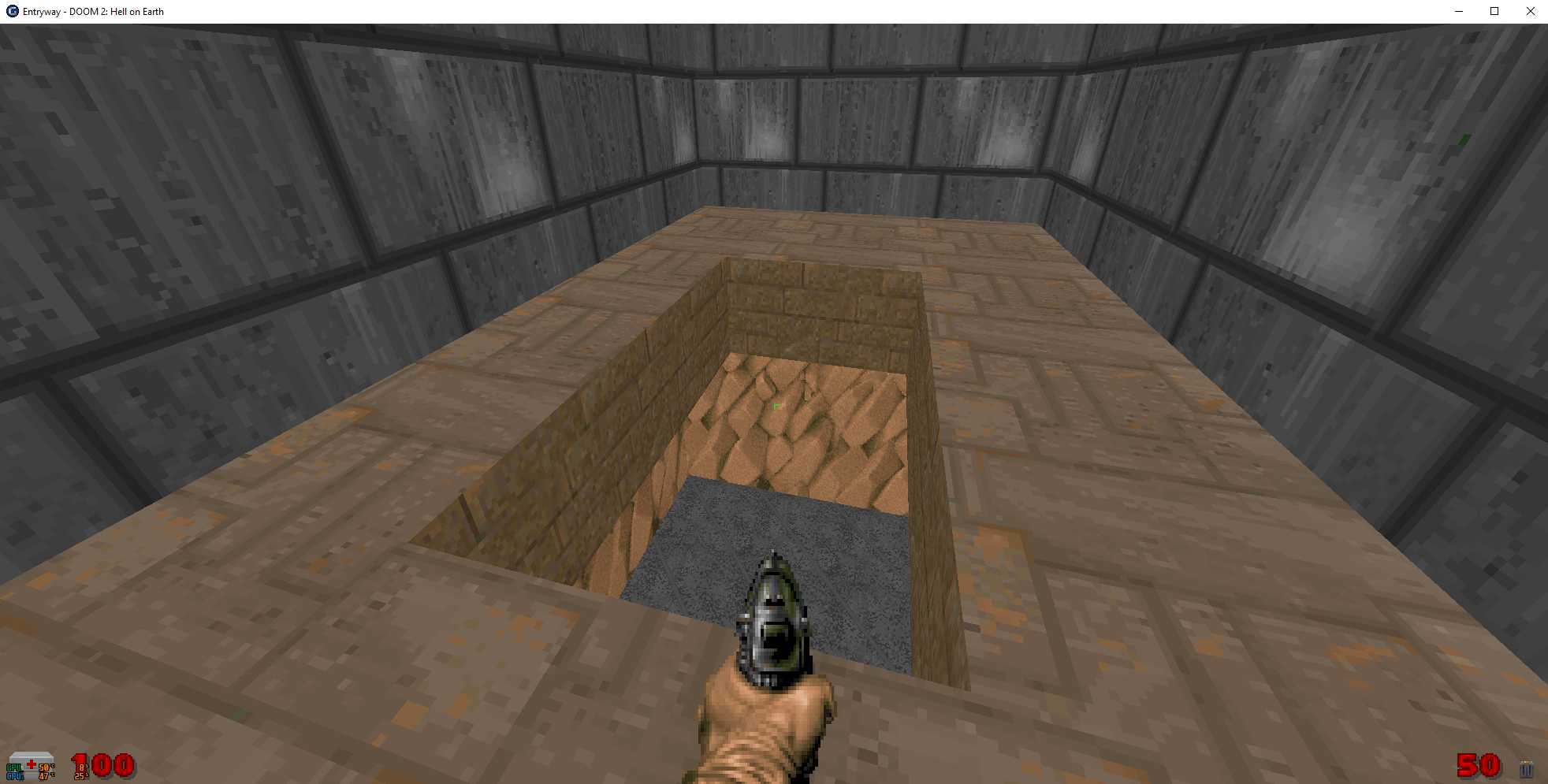
- Test in GZDoom. Load the map and walk to the seam.
Validation checks explained
- Height seam. The upper sector's floor must equal the lower sector's ceiling. If they differ, the portal seam will not line up; use Auto-fix.
- Shape match. The two portal holes should have the same vertex count and bounding box. A mismatch is a warning, not a hard error, but unequal holes can cause visual "void leaks".
- Anchor placement. Each anchor line should border the room it belongs to. If a line borders the other portal sector, the anchor fields were almost certainly entered in the wrong order. If it borders neither, the Line ID is probably wrong.
- Reference resolution. For every value you enter, the log states whether it was matched by Tag/Line ID or treated as a raw index, so the interpretation is never ambiguous.
Language
Use the Language dropdown in the top-right to switch between English and Español. The entire interface updates instantly, and new log messages appear in the selected language. English is the default.
Available languages: ENGLISH and SPANISH
Backups and safety
Before any change is written to disk, the editor copies the original file to:
<name>.backup-yyyyMMdd-HHmmss.wad
in the same folder as the original. If writing fails for any reason, the log points you to the backup that still holds the untouched original. If the configuration step fails, the on-disk file is never modified.
Troubleshooting
| Symptom | Likely cause / fix |
|---|---|
| "Valid WAD, but no UDMF (TEXTMAP) map found." | The map is in classic binary format. Re-save it as UDMF in Ultimate Doom Builder. |
| "Could not find a sector with tag N…" | The sector has no such Tag. Use the correct Tag, or enter the sector index. |
| Anchor "sits in the OTHER portal sector" | The upper/lower anchor fields are swapped. Put each anchor in its matching room. |
| Anchor "does not border either portal sector" | Wrong Line ID, or the anchor line isn't inside either room. |
| Height mismatch warning | Click Auto-fix heights, or set the upper floor equal to the lower ceiling manually. |
| Portal renders but looks wrong in game | Check the shape-match warning; the two holes should be identical in size and shape. |
How the portal is built
(technical notes)
The editor implements the standard GZDoom stacked-sector recipe using linedef special 57 — Sector_SetPortal(tag, type, plane, misc, opacity). Four anchor lines are written:
| Anchor (line) | Tag | type | plane | misc | meaning |
|---|---|---|---|---|---|
| Lower ceiling anchor | lower tag | 0 or 6 | 1 (ceiling) | 0 | portal seen here |
| Upper ceiling anchor | lower tag | 0 or 6 | 1 (ceiling) | 1 | sector viewed through |
| Upper floor anchor | upper tag | 0 or 6 | 0 (floor) | 0 | portal seen here |
| Lower floor anchor | upper tag | 0 or 6 | 0 (floor) | 1 | sector viewed through |
- type is
6for an interactive (walkable) portal or0for visual only. - opacity is
0. - The ceiling-plane pair is tagged to the lower sector; the floor-plane pair is tagged to the upper sector.
- If a sector has no usable Tag, the editor allocates an unused one and assigns it automatically.
The WAD is parsed in memory (12-byte header, 16-byte directory entries), the UDMF TEXTMAP lump is edited while preserving element order so index-based references stay valid, and the file is rebuilt with a recomputed directory on save.
----
I'll hope you like it.
Greetings.
----
SEO
Portal editor, Doom modding, GZDoom, ZDoom, UDMF, Doom map editor, Doom mapping, vertical portals, stacked sectors, sector portals, portal setup, map creation, level design, Ultimate Doom Builder, UDB, interactive map architecture, advanced Doom mapping, 3D room effects, overlapping spaces, linked sectors, portal-based level design, map scripting, classic Doom tools, Doom community, Doom level design, technical map editing, modding workflow, PK3 workflow
----
END USER LICENSE AGREEMENT (EULA)
Permission is hereby granted, free of charge, to any person obtaining a copy of this software and associated documentation files (the "Software"), to deal in the Software without restriction, including without limitation the rights to use, copy, publish, distribute copies of the Software, and to permit persons to whom the Software is furnished to do so, subject to the following conditions
THE SOFTWARE IS PROVIDED "AS IS", WITHOUT WARRANTY OF ANY KIND, EXPRESS OR IMPLIED, INCLUDING BUT NOT LIMITED TO THE WARRANTIES OF MERCHANTABILITY, FITNESS FOR A PARTICULAR PURPOSE, AND NONINFRINGEMENT. THE SOFTWARE MAY BE DISTRIBUTED, BUT ONLY FREE OF CHARGE. COMMERCIAL USE, COPYING, OR DISTRIBUTION OF THE SOFTWARE IS NOT PERMITTED WITHOUT PRIOR WRITTEN CONSENT FROM THE AUTHORS.
YOU MAY NOT DECOMPILE, REVERSE ENGINEER, DISASSEMBLE, MODIFY, BYPASS SECURITY MECHANISMS, OR ATTEMPT TO ACCESS THE INTERNAL SOURCE CODE OF THE SOFTWARE BY ANY MEANS. ANY SUCH ACTION IS STRICTLY PROHIBITED UNLESS EXPRESSLY AUTHORIZED IN WRITING BY THE AUTHORS.
IN NO EVENT SHALL THE AUTHORS OR COPYRIGHT HOLDERS BE LIABLE FOR ANY CLAIM, DAMAGES, OR OTHER LIABILITY, WHETHER IN AN ACTION OF CONTRACT, TORT, OR OTHERWISE, ARISING FROM, OUT OF, OR IN CONNECTION WITH THE SOFTWARE OR THE USE OR OTHER DEALINGS IN THE SOFTWARE.
----
Download
Install instructions
This software requires .NET Core 8.0, you can find it next link
You might already have it installed on your system.
Only try installing the libraries if the program doesn’t work.
https://dotnet.microsoft.com/es-es/download/dotnet/8.0
Development log
- Release 1.3Jun 07, 2026
- Initial ReleaseJun 06, 2026
Leave a comment
Log in with itch.io to leave a comment.