
Hakros UDB Particles Editor
A downloadable tool for Windows
User guide
Introduction
HAKROS UDB Particles Editor is a visual tool for designing particle effects for and exporting them as a finished PK3 that Ultimate Doom Builder can read straight away. It is designed for mappers who know exactly what they want to see in a room — rain falling past a window, a waterfall breaking into foam, steam venting from a grate — but do not want to write ZScript to get it.
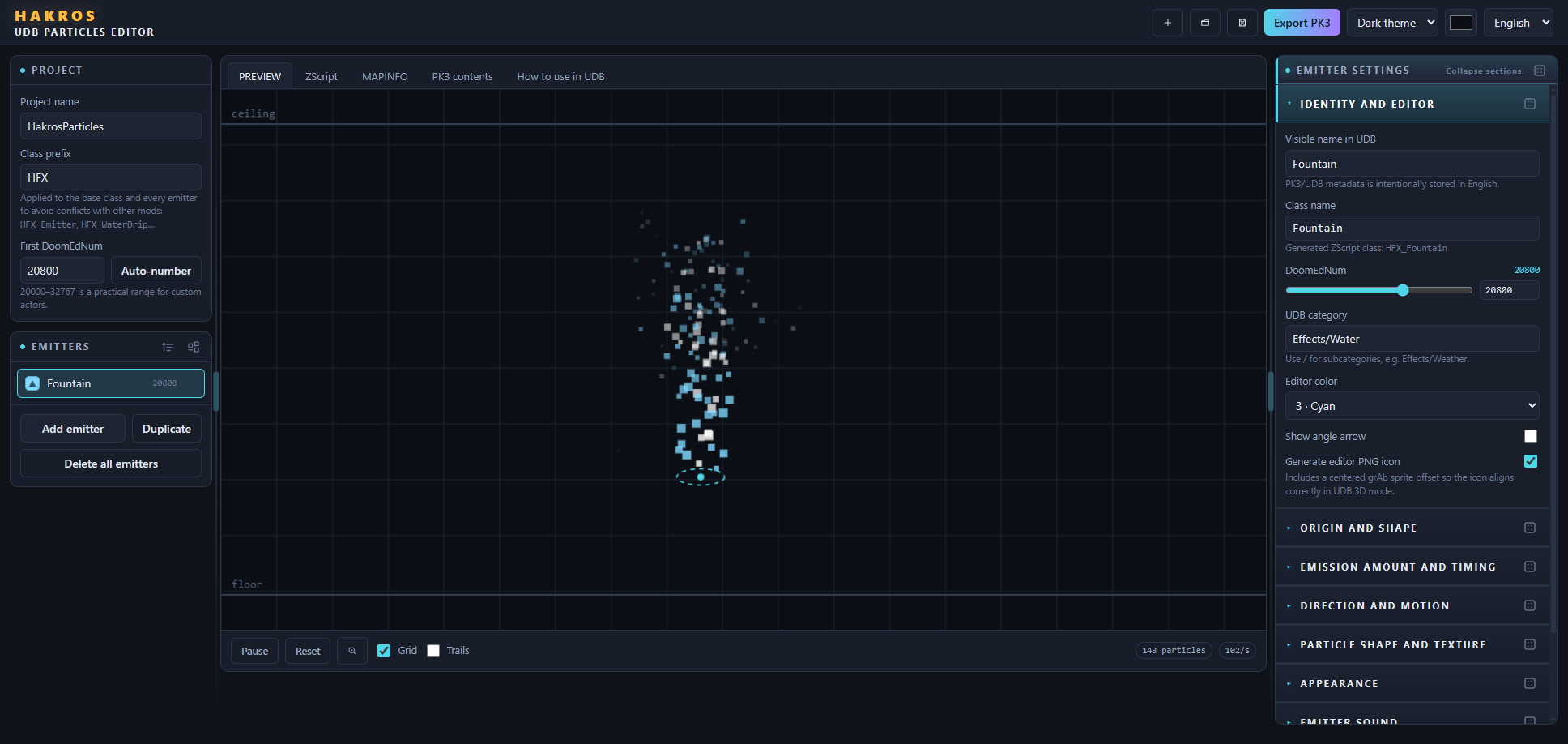
Every effect is built by adjusting parameters and watching the result animate in real time at the engine's own thirty-five ticks per second. Emission shape, timing, direction, gravity, motion modules, particle shape, colour, blending and sound are all controlled visually, and the generated code is visible at all times in its own tab.
The export produces a complete package: the emitter classes, the MAPINFO block that assigns editor numbers, the editor icons that make each Thing recognisable in UDB, the particle textures for non-square shapes, any attached audio with its SNDINFO definitions, and a README describing the contents. Nothing has to be written or renamed by hand.
The application needs a display at least 1024 pixels wide. On narrower screens it shows a notice instead of the editor, because the three-column layout and the live preview cannot be used comfortably on a phone.
Projects are saved as portable JSON files containing every emitter and every setting, so work can be resumed, shared or merged later.
The application requires UZDoom, GZDoom 4.10 or newer and a map in UDMF format.
Application translated into the following languages:
- English
- Spanish
Local-first, no upload
Everything runs in the browser. Presets, previews, code generation and the PK3 itself are produced on your own machine, so there is no upload wait, no account, and no privacy question. The ZIP writer is implemented from scratch with no dependencies, which is why the exported PK3 opens correctly in UZDoom, GZDoom, SLADE and Ultimate Doom Builder alike.
Export beyond Doom
A particle effect is a particle effect, so the editor can also hand your work to other engines. Alongside Export PK3 there is Export others, which offers nine targets and asks first whether you want the whole project or only the emitter you are working on.
At the centre of it is the HFX interchange schema, a versioned JSON file that describes every emitter in neutral units — seconds instead of tics, metres instead of map units — while keeping the original Doom values alongside so nothing is lost. Every other exporter reads from it.
Godot 4 produces one ParticleProcessMaterial resource per emitter, ready to drop onto a GPUParticles3D node, with the colour ramp already built. GameMaker produces a single GML script with one function per emitter. Unity ships the JSON with an editor script that builds real ParticleSystem objects from it, because hand-written prefab YAML breaks between versions. Phaser 3 produces emitter configuration objects you can pass straight to add.particles. LÖVE produces a Lua module with a factory function per effect.
Two targets need no translation at all and therefore work anywhere: a sprite sheet of thirty-two rendered frames with a TexturePacker-style JSON atlas, and a video recording of the live preview in WebM or MP4, with the grid and guides hidden, which is what you want for a devlog or a store page.
Every export shows a progress bar and can be cancelled at any point, and the destination file is chosen before the work starts, so an eight-second video recording still gets a proper save dialog. Each exporter states in its README what could not be translated, because attraction, repulsion and wave motion have no equivalent in most engines.
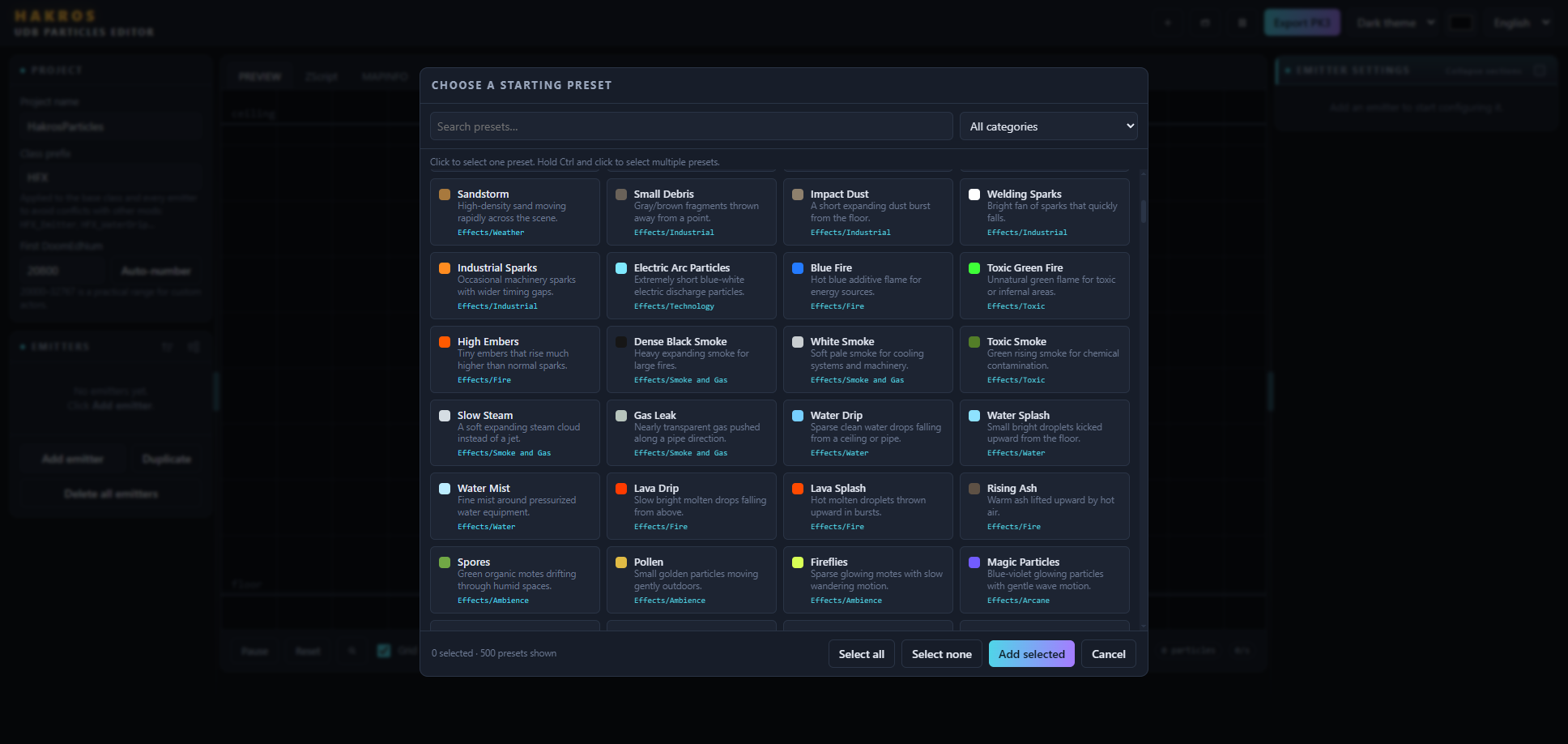
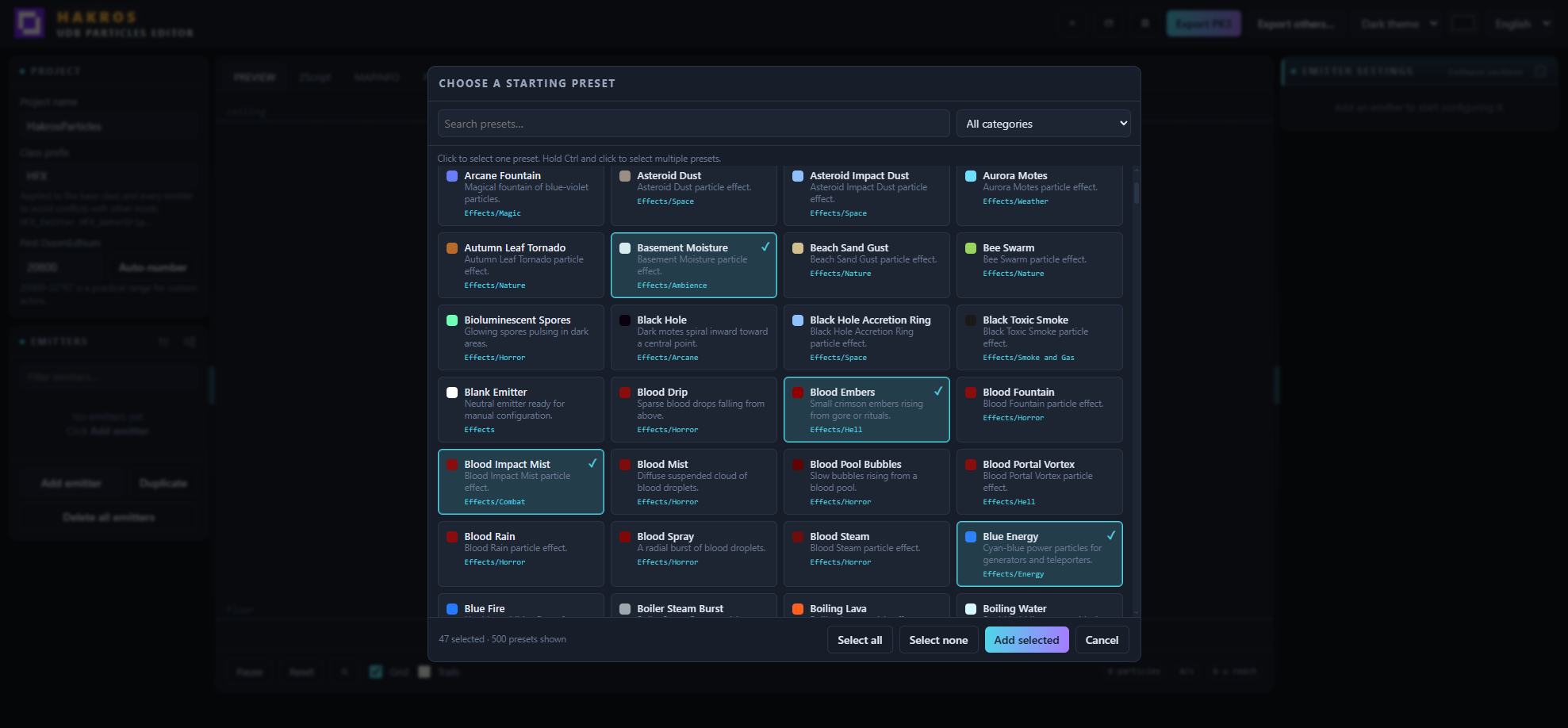
Around five hundred ready-made presets
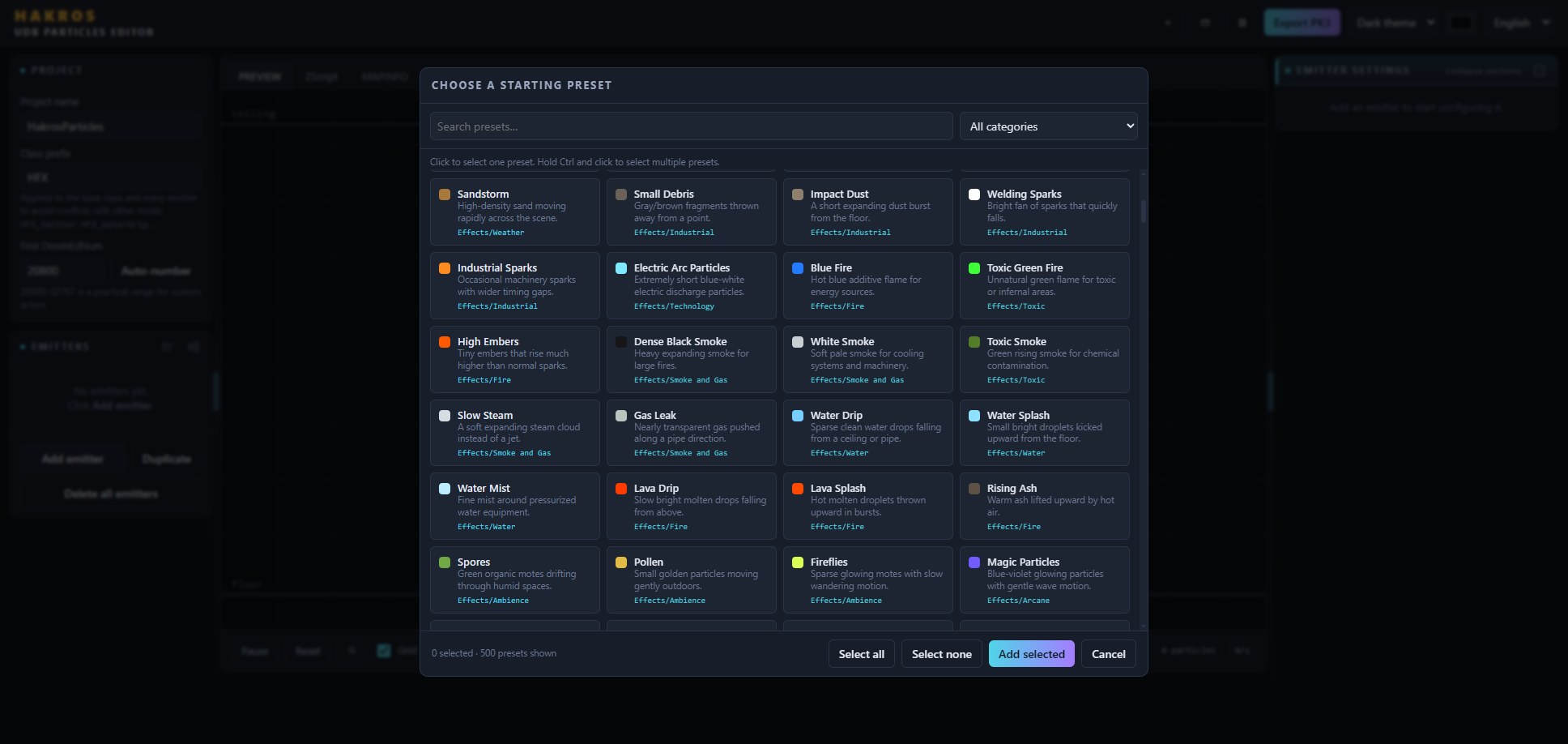
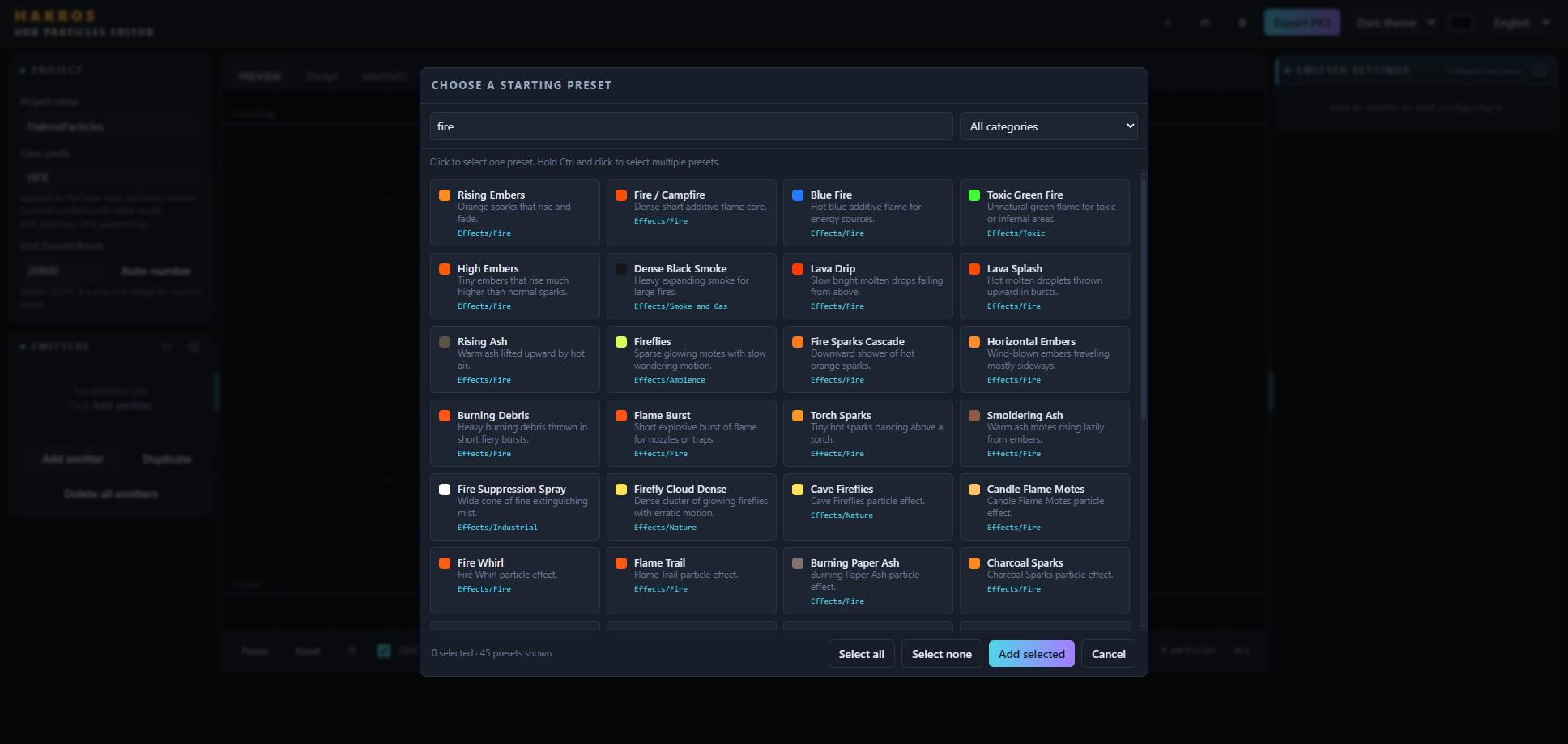
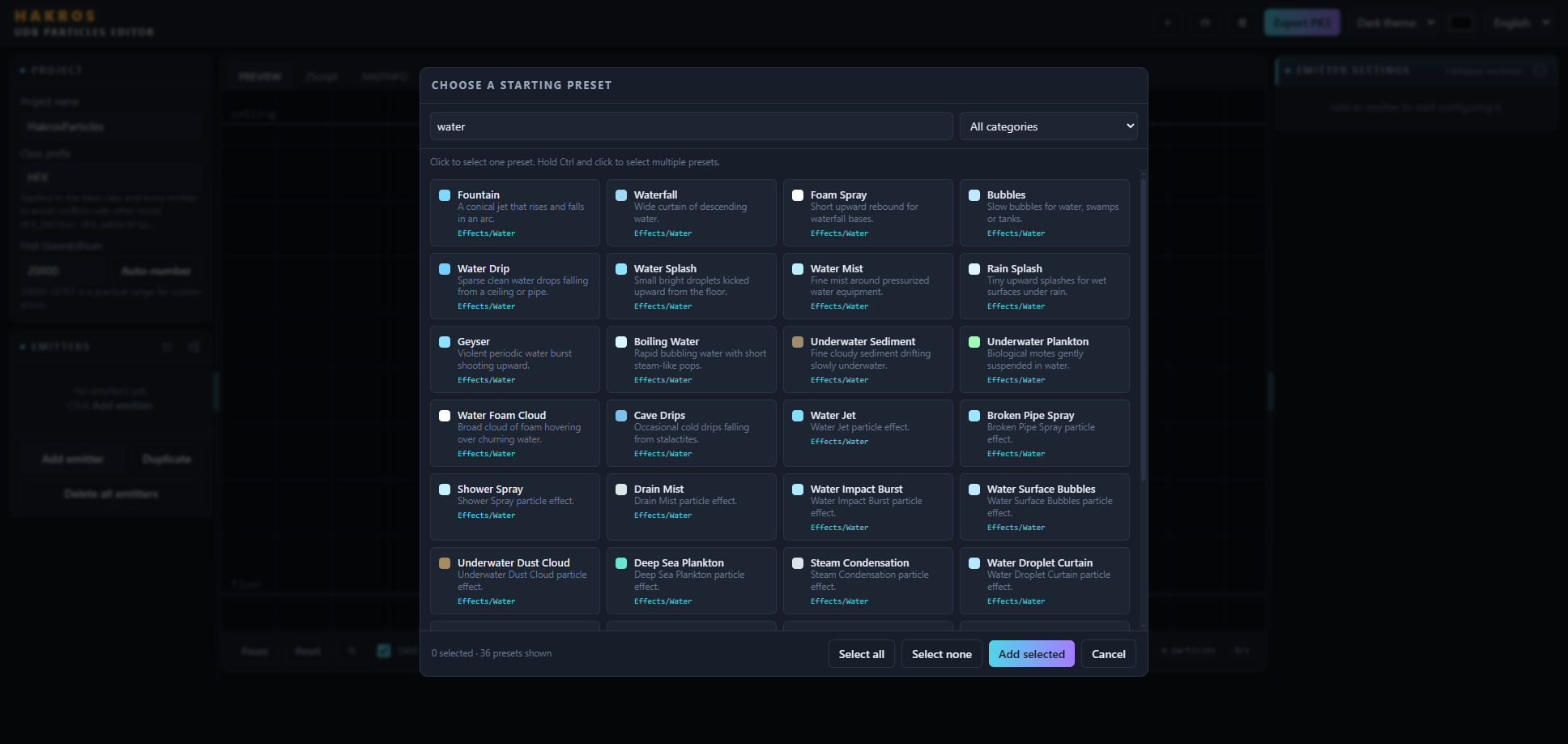
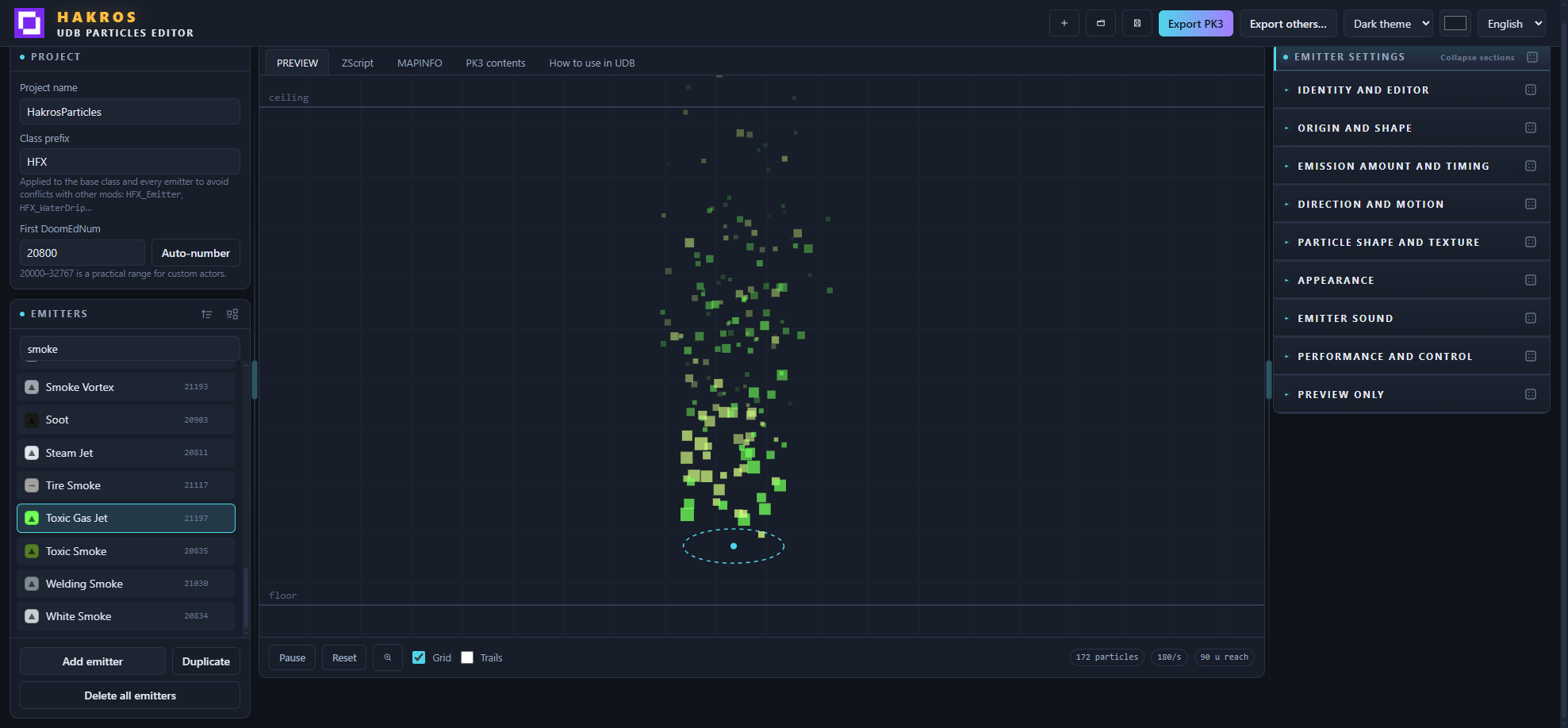
Weather, water, fire, smoke, industrial machinery, energy and electricity, magic and the arcane, gore, space, vehicles, impacts and destruction. Each one is a complete working effect, searchable by name or description and filterable by category. Hold Ctrl to select several at once and add them all in a single step. A preset is a starting point, never a limit: every parameter remains editable afterwards.
Real-time preview at engine speed
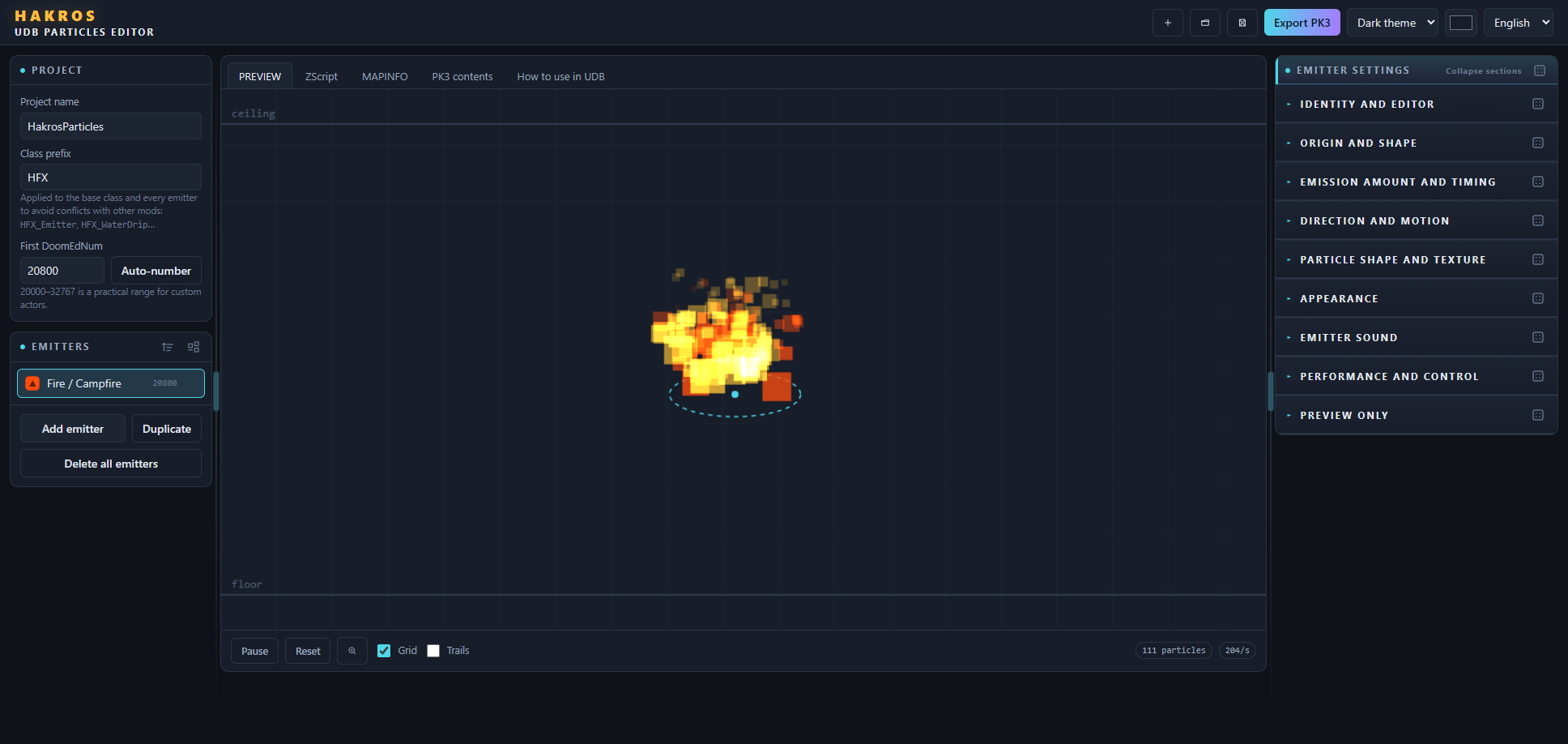
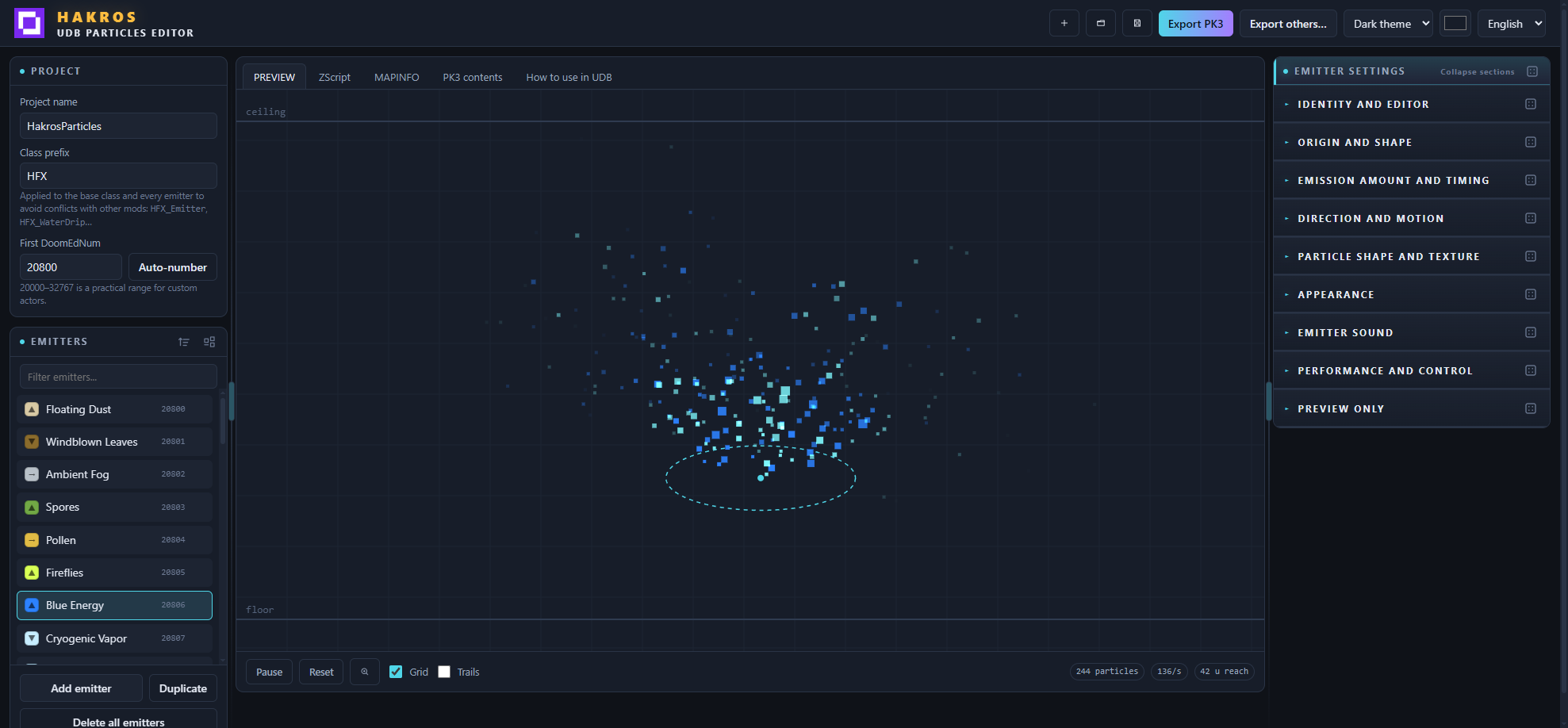
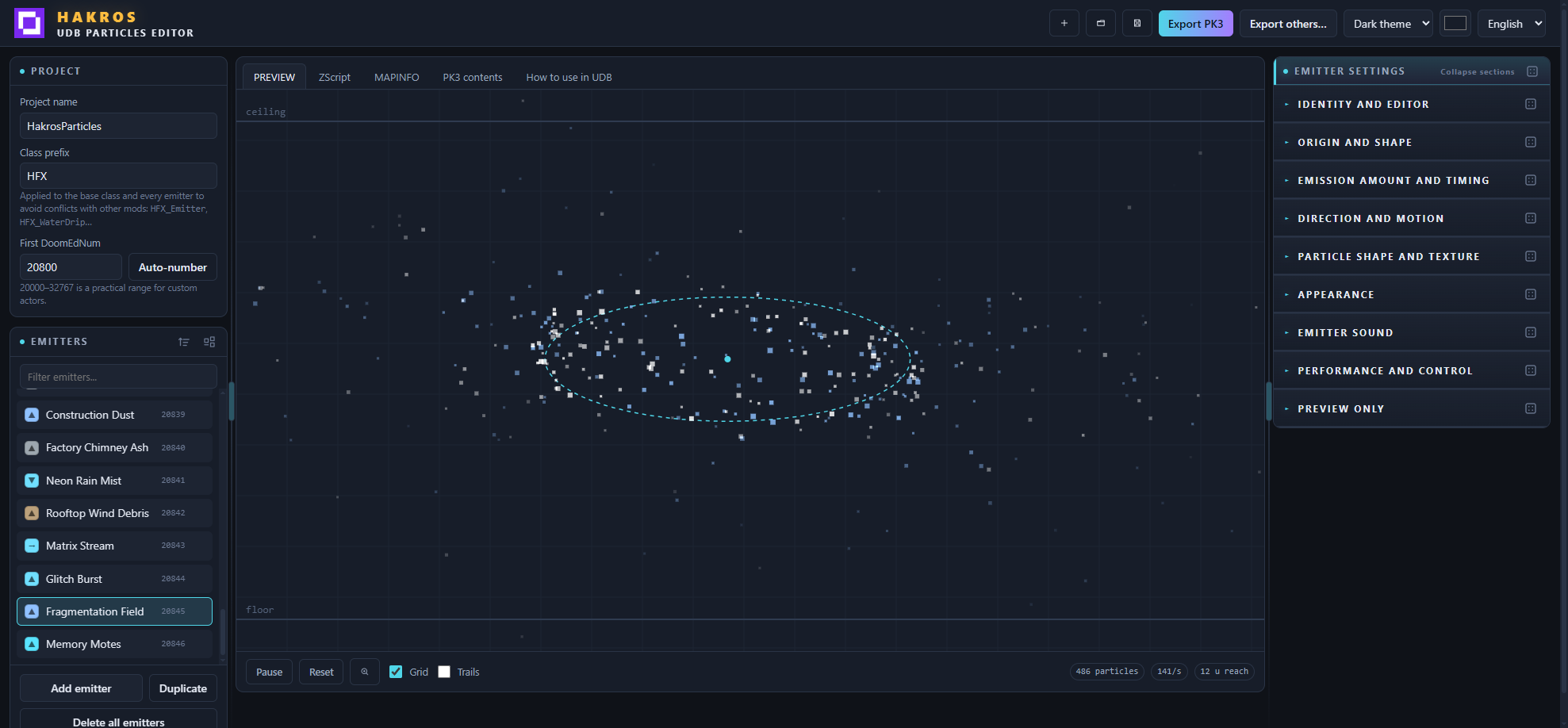
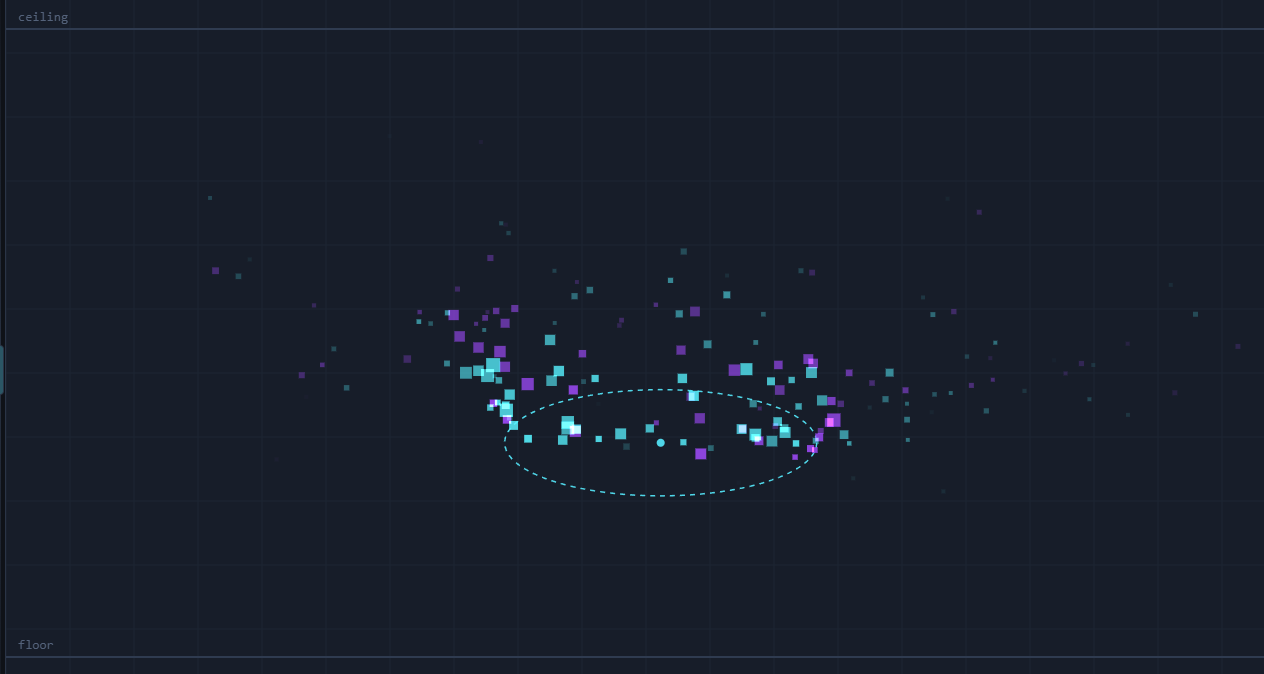
The preview runs at thirty-five ticks per second, exactly like the Doom engine, so the timing and speed you see are the timing and speed you get. Zoom with the mouse wheel, toggle the reference grid, enable particle trails to read trajectories clearly, choose the backdrop colour to judge transparency, and watch the live particle counter and emission rate while you tune.
Six emission origins
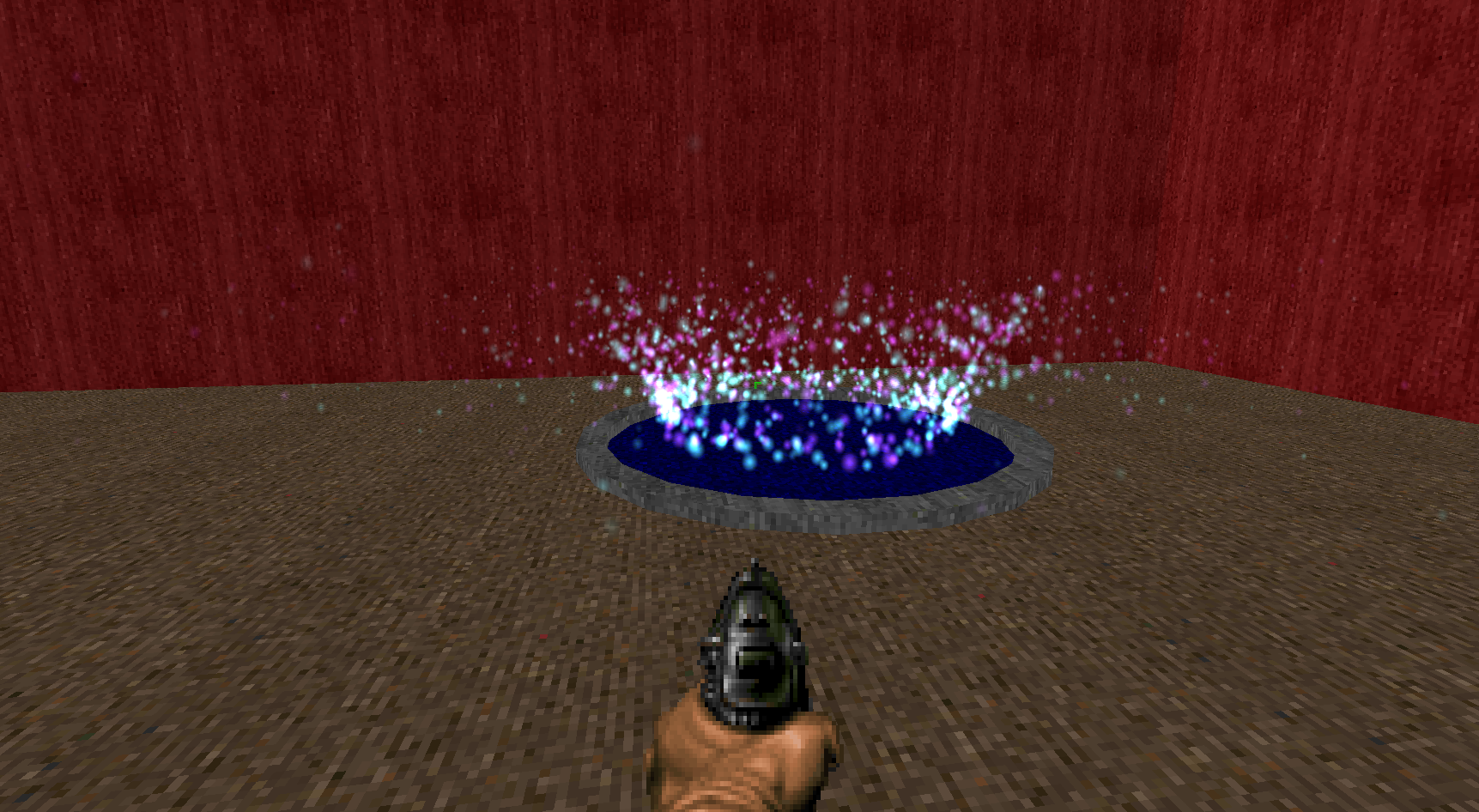
Rectangle and ellipse for area effects such as rain and snow, point for concentrated sources, ring for portals and magic circles, line for waterfalls and ledges, and sphere for volumetric clouds. Horizontal size, vertical band and rotation with the Thing angle are all independent, so one emitter class can serve every wall, vent and pool in the map.
Four emission modes
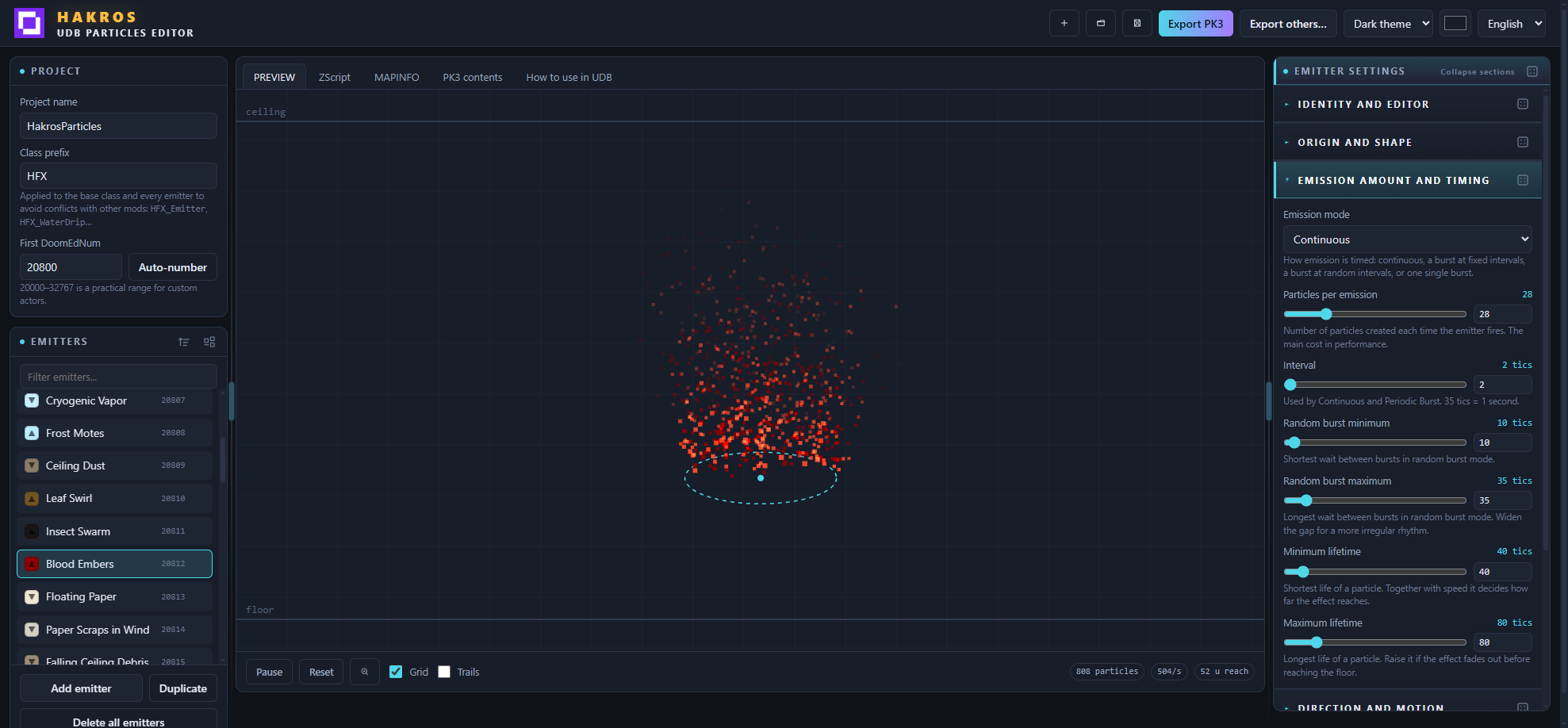
Continuous for permanent ambience, periodic burst for rhythmic machinery, random burst for sparks and drips that should never feel mechanical, and single burst for one-shot events. Interval, particle count and lifetime ranges are set in tics, the engine's own unit.
Direction that works both ways
Every effect can be flipped between falling and rising, at design time and again per placed Thing. Gravity has two modes: always downward, correct for anything that falls, and oppose vertical launch, which produces the arc of a fountain and keeps an inverted emitter behaving sensibly. Wind can be fixed or rotated with the Thing angle.
Gravity can also be set below zero, which reverses it into buoyancy so smoke, bubbles and embers keep accelerating upward instead of slowing down.
Motion modules
On top of the ballistic path, each emitter can run orbit and swirl, attraction, repulsion, turbulence or wave motion, with a pulse amount and period for rhythmic breathing. This is what produces tornadoes, black holes, insect swarms, energy fields, teleport vortices and oscillating streams without a line of code.
Eight particle shapes
The classic UZDoom, GZDoom square plus circle, soft circle, diamond, triangle, streak, spark and hexagon. When a non-square shape is chosen the matching particle texture is generated automatically and packed into the PK3. Any existing lump can also be supplied as a custom texture, with roll and roll velocity for tumbling leaves and debris.
Appearance control
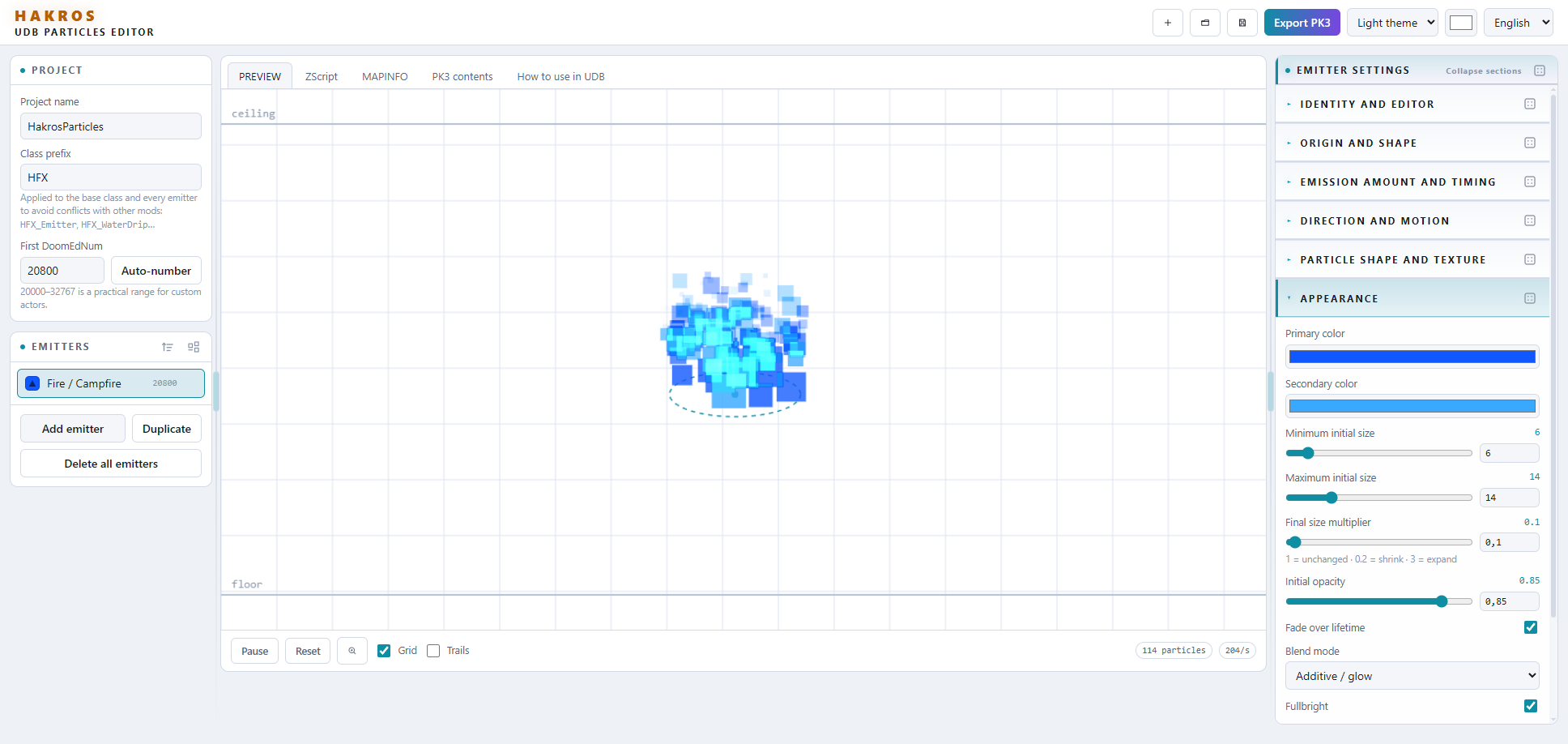
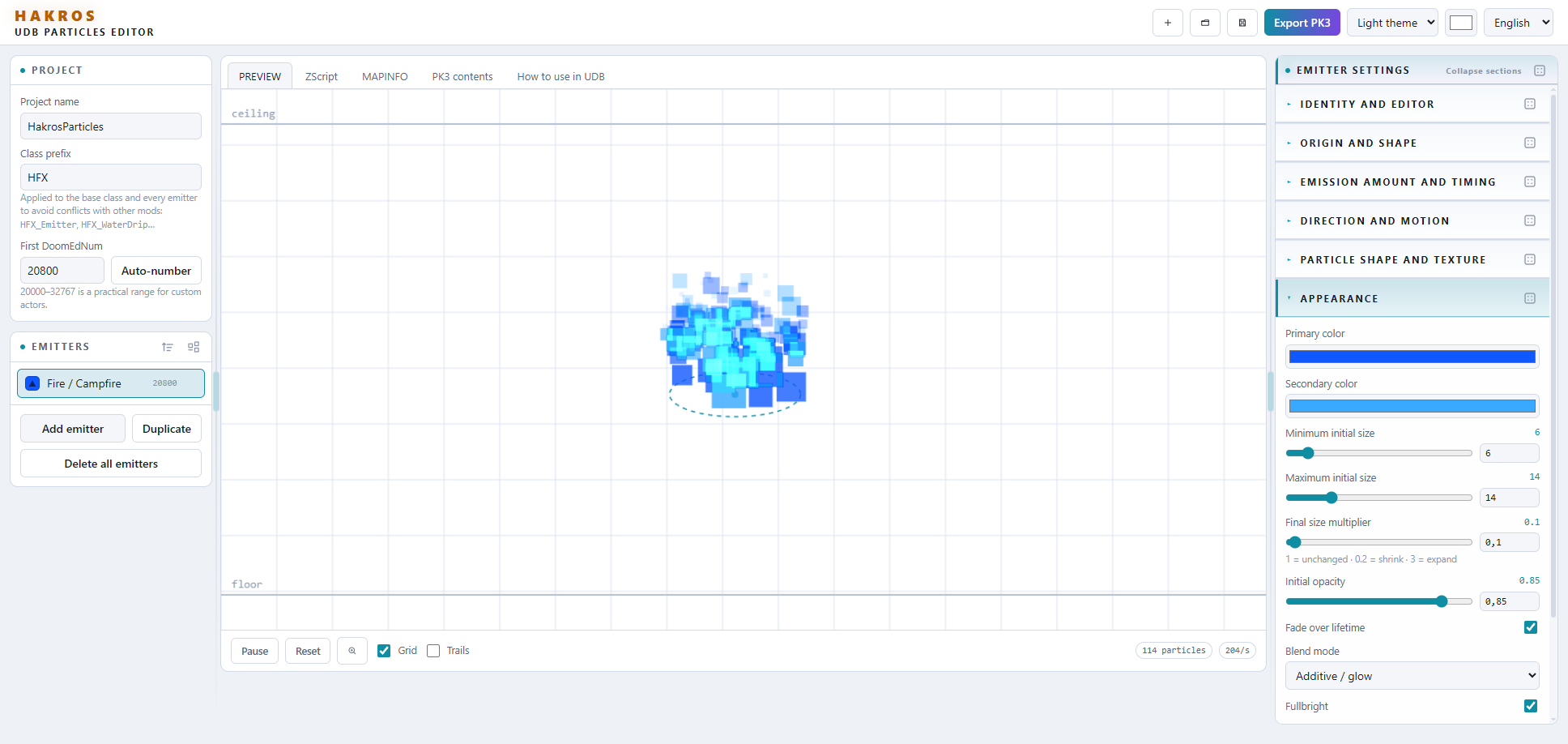
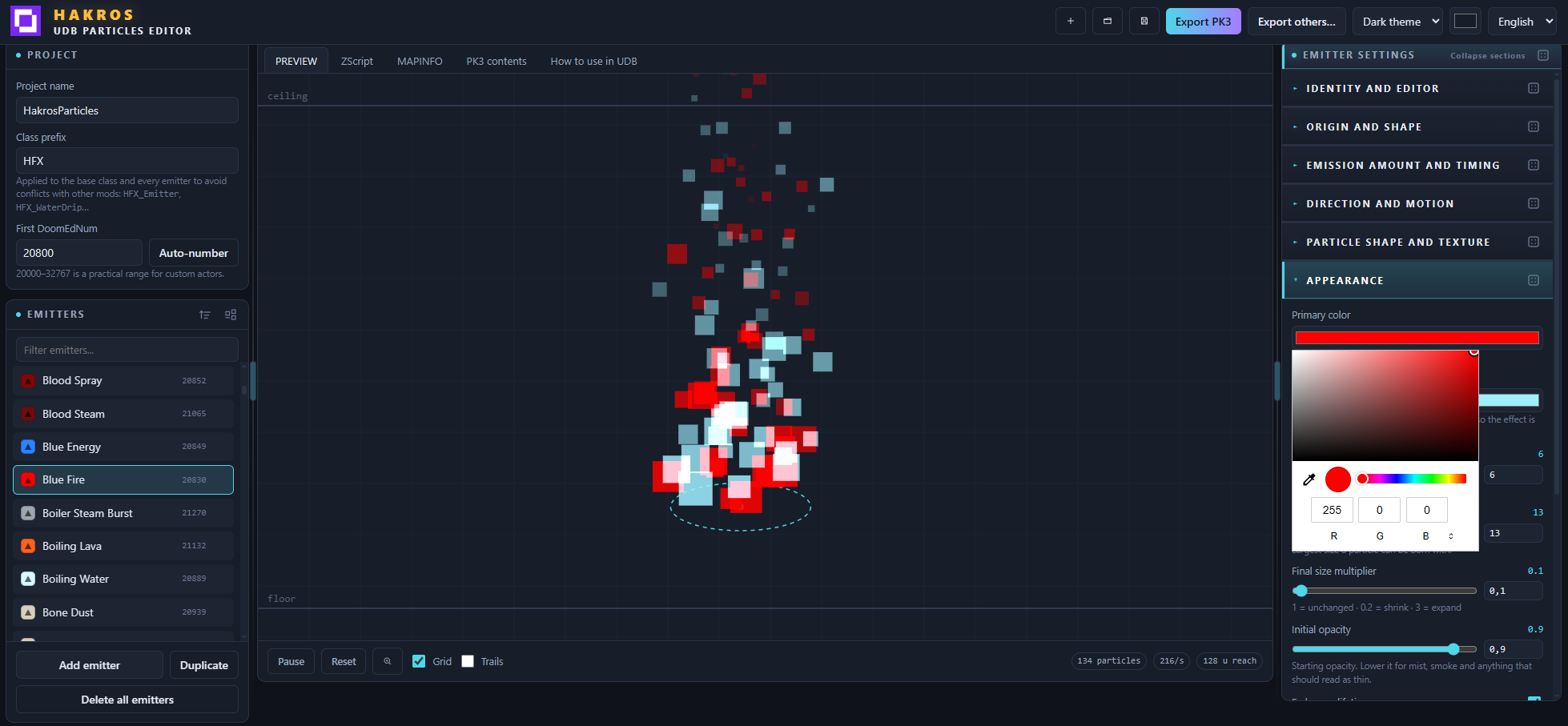
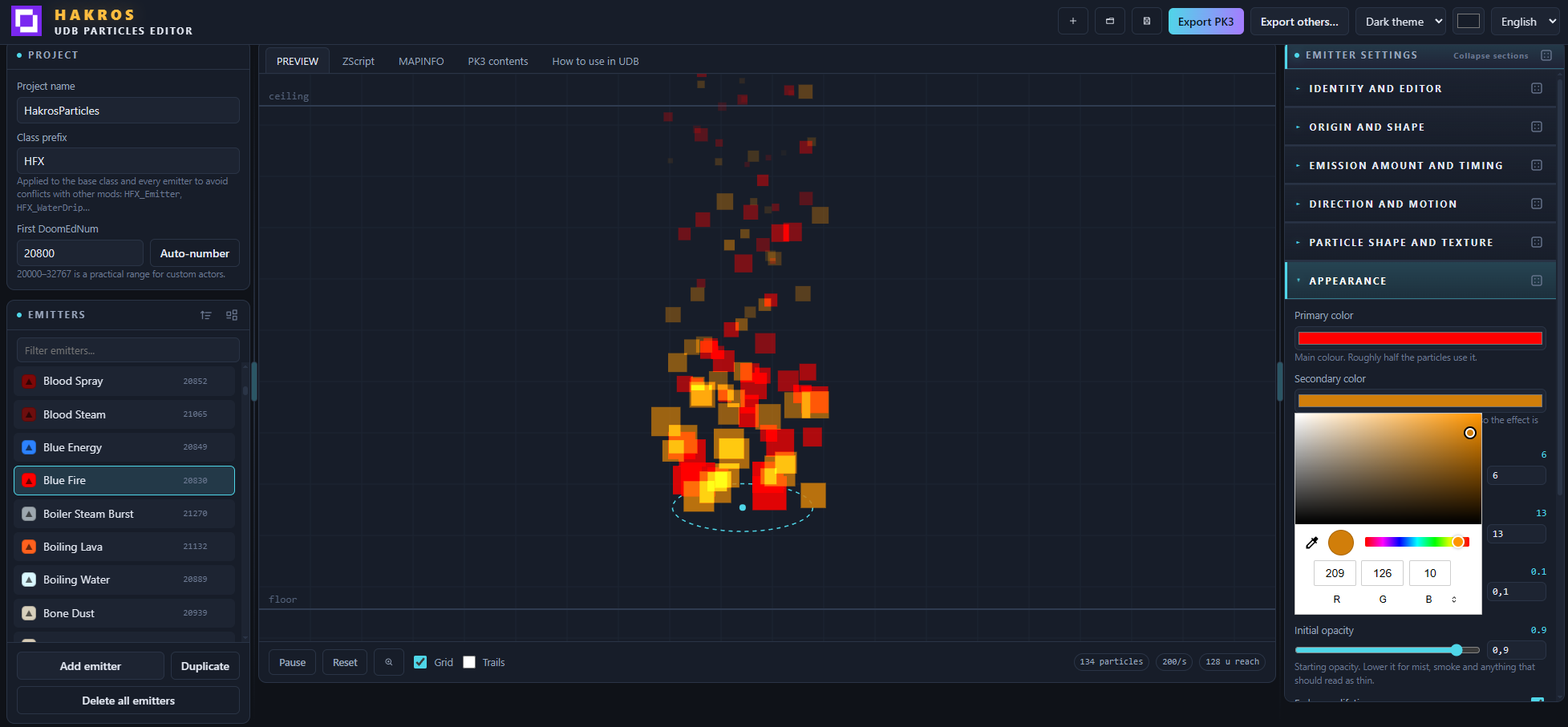
Two colours mixed randomly per particle for natural variation, independent initial size range and final size multiplier for growth or decay, opacity with optional fade over lifetime, translucent or additive blending, and a fullbright option so particles stay readable in dark rooms.
Emitter sound
Audio can be attached to any emitter and is embedded in the project and exported inside the PK3 together with a generated SNDINFO. Playback modes cover a continuous loop, a single play on start, periodic and random intervals, one sound per particle burst, and playback on Thing activation, with volume and 3D attenuation controls that behave exactly as they do in UZDoom, GZDoom.
Placement you control
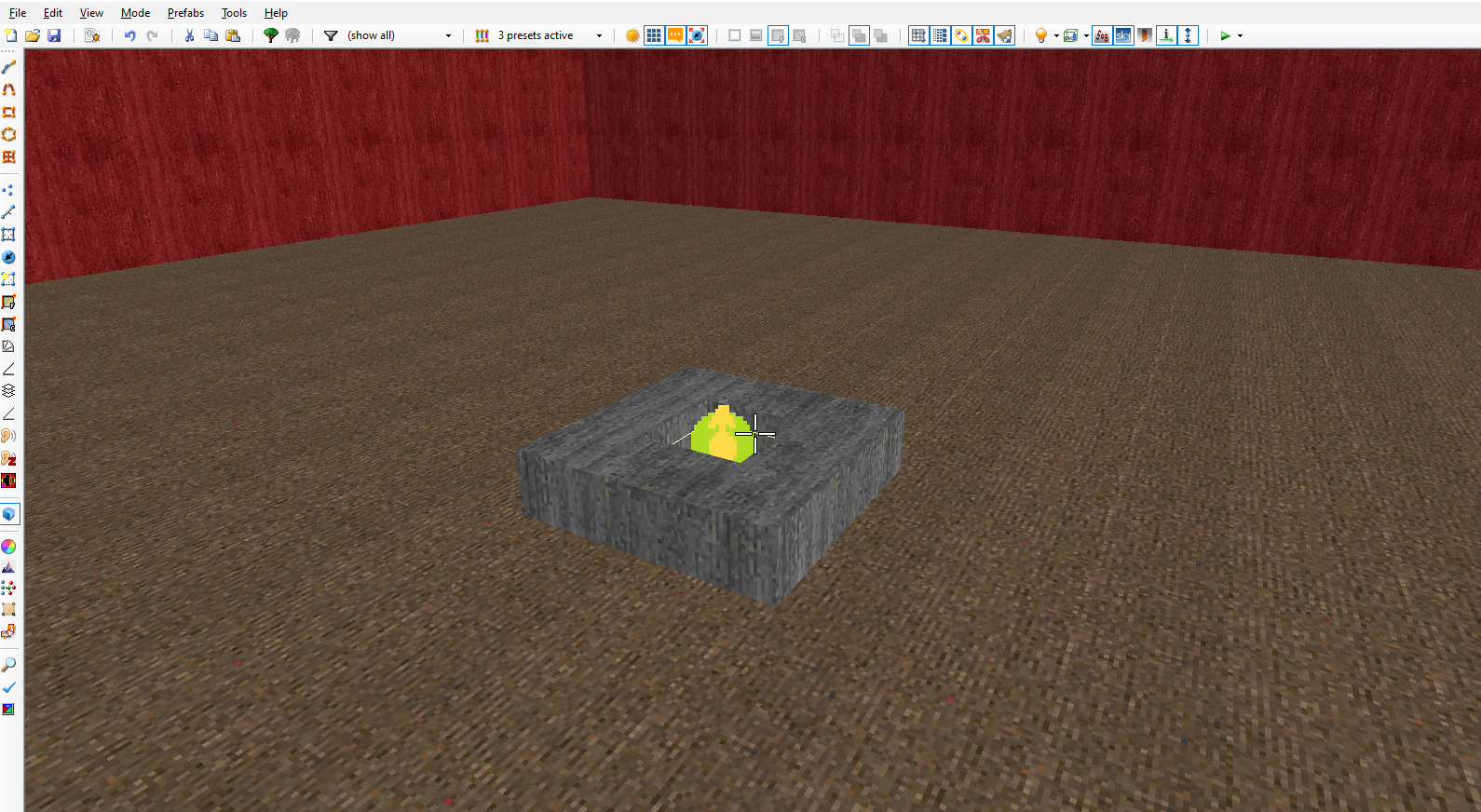
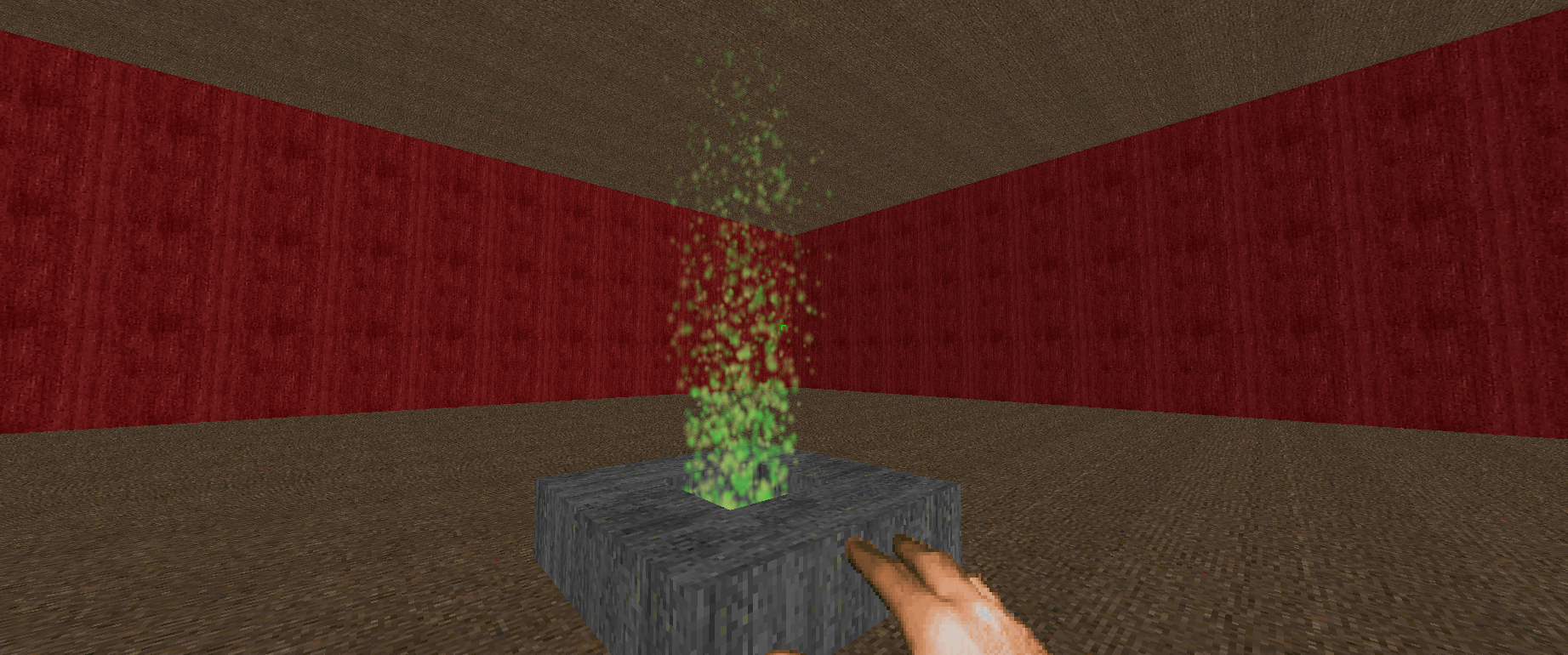
The emitter spawns its particles exactly where the Thing sits, with no automatic repositioning of any kind. Where you put it in Ultimate Doom Builder is where the effect happens, so nothing moves behind your back between the editor and the game. Falling effects belong near the ceiling and rising ones near the floor: set the Thing height in UDB and the result is exactly what you designed.
Performance built in
A maximum emission distance stops each emitter from spawning particles when no player is nearby, which is the single most effective optimisation in the tool. Combined with the live particle counter, it makes it straightforward to keep a heavily decorated map running smoothly.
Per-Thing arguments in UDB
Density, direction, area radius, speed and culling distance are exposed as named arguments with proper labels and dropdown menus in Ultimate Doom Builder. A value of zero always means "use the emitter's own setting", so a freshly placed Thing works immediately and can be tuned individually afterwards without touching the code.
Editor integration
Every emitter is exported with its visible name, category, colour, angle arrow and a generated PNG icon with a centred offset, so the Thing browser in UDB shows something recognisable instead of a red question mark. Categories accept subfolders, and the whole project can be renumbered consecutively with one button.
Generated code in plain sight
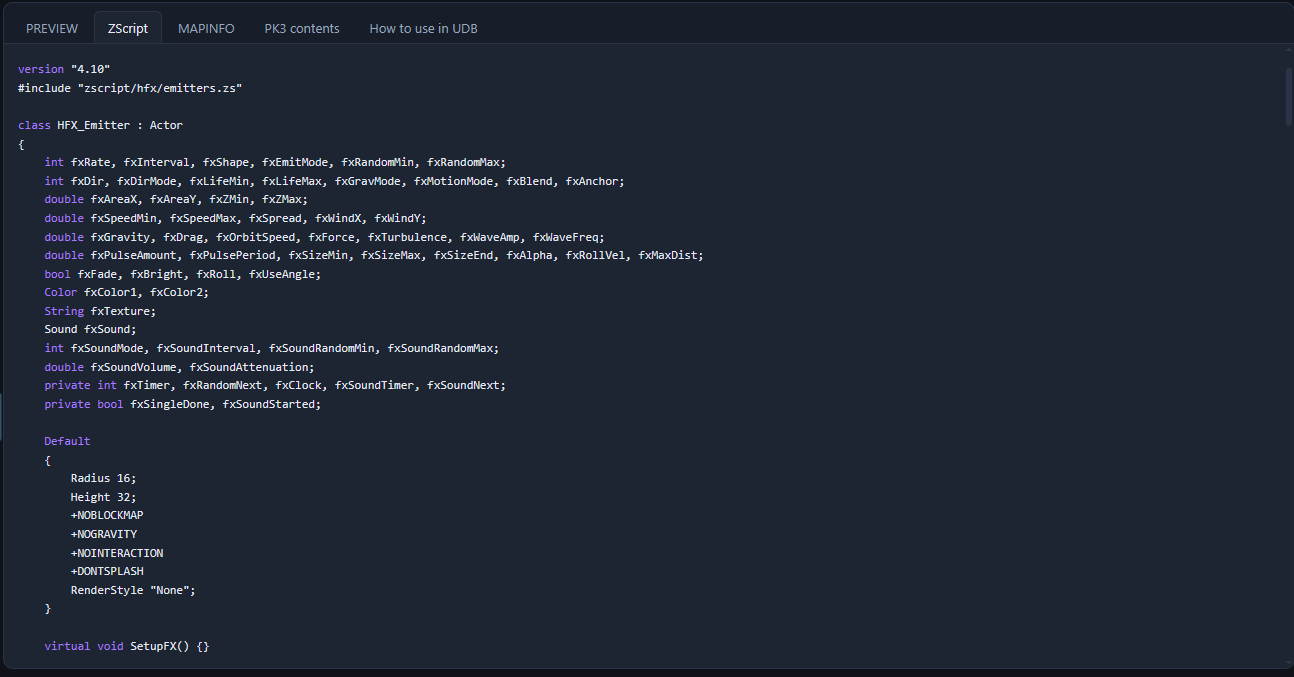
Separate tabs show the ZScript exactly as it will be written, the MAPINFO block, and a tree of every file the PK3 will contain. Nothing is hidden: the output is ordinary, readable ZScript that can be edited by hand afterwards or merged into a larger mod.
Interface that gets out of the way
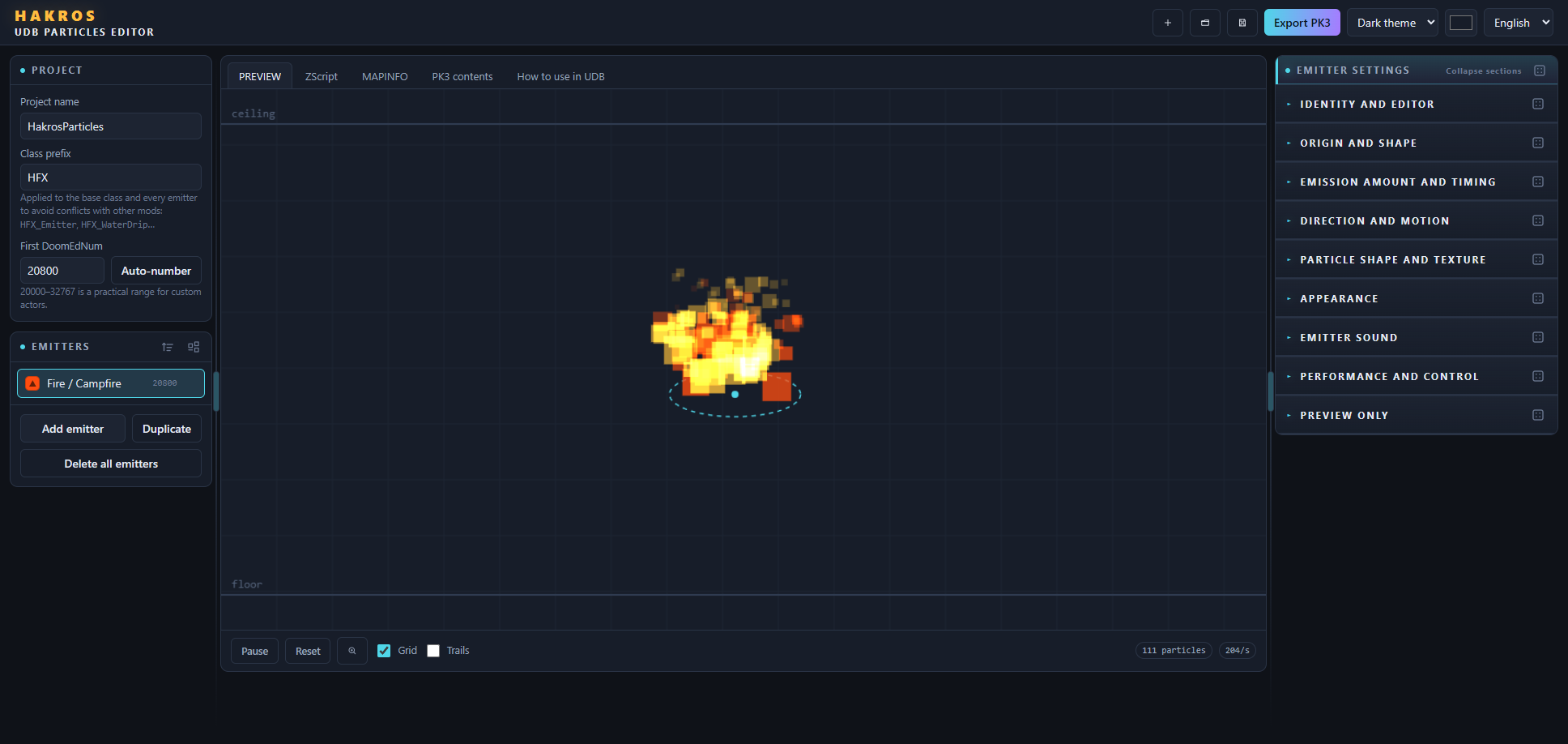
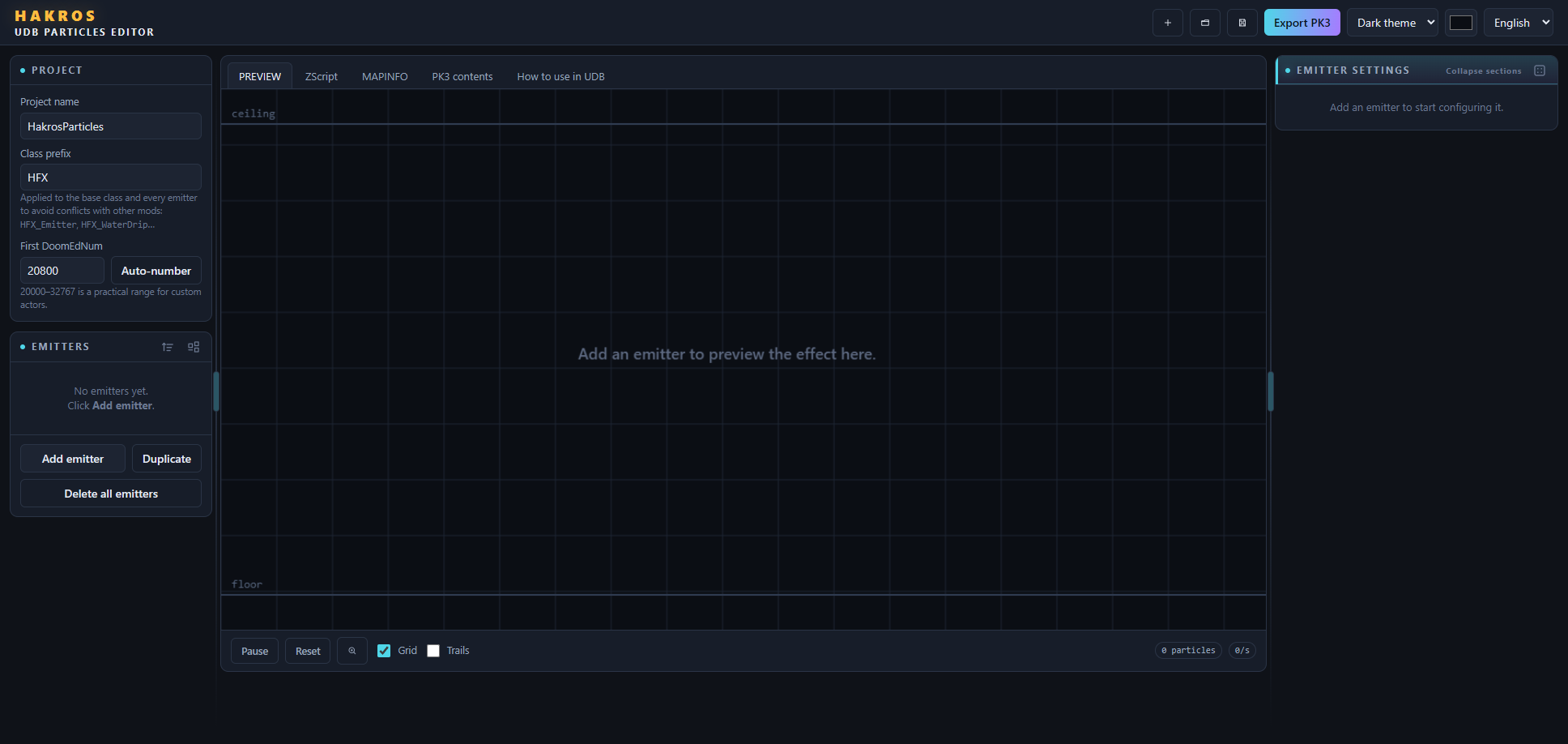
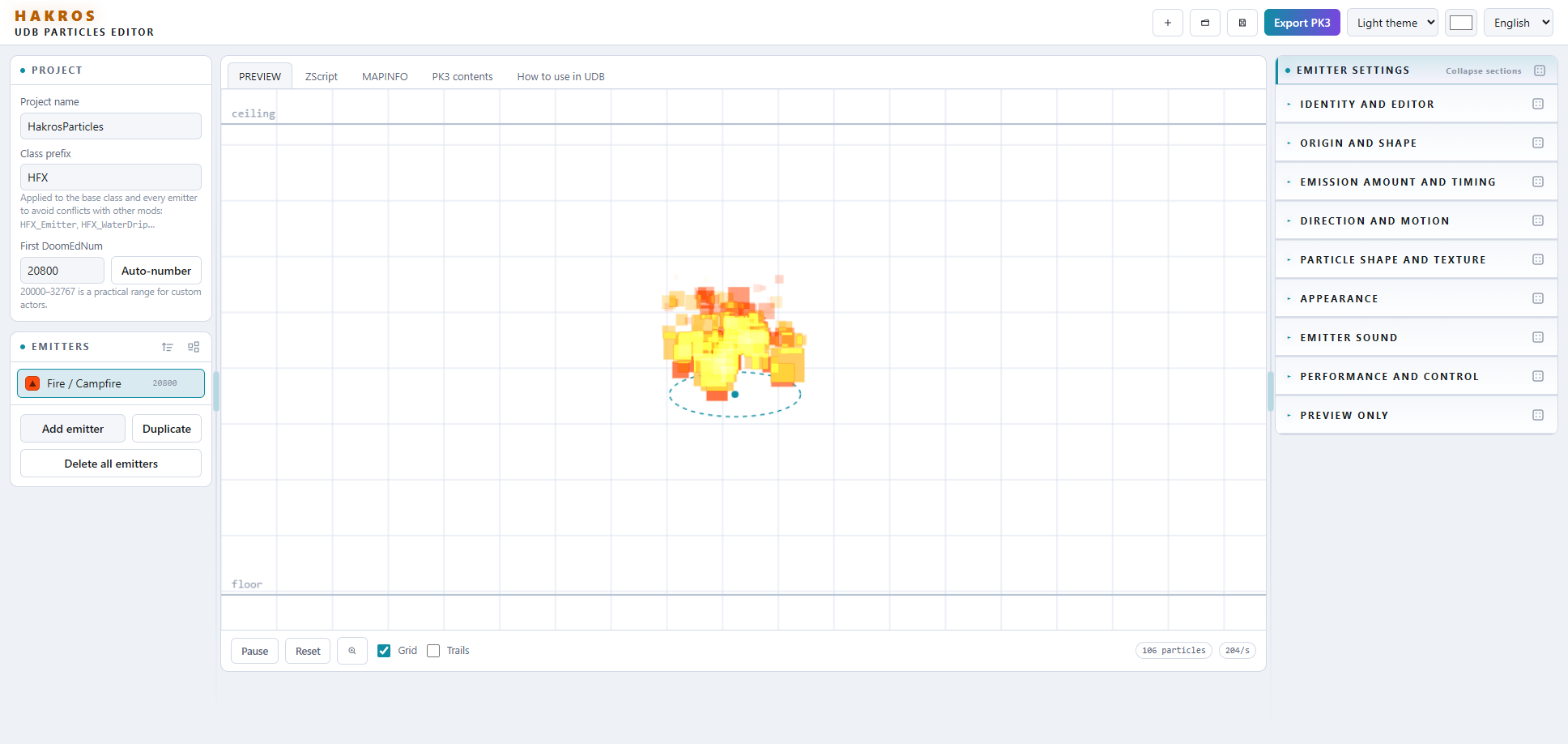
Light and dark themes, three resizable columns capped at a third of the window, a configurable preview backdrop that follows the theme, and sliders paired with numeric boxes on every parameter. The emitter list has its own filter that matches names, class names, categories and editor numbers, so a project with fifty effects stays navigable, and the preset browser is always sorted alphabetically. Every single parameter carries a written description of what it does, in both languages. Duplication, alphabetical and category sorting, one-button renumbering, whole-emitter randomisation for happy accidents, and instant switching between English and Spanish.
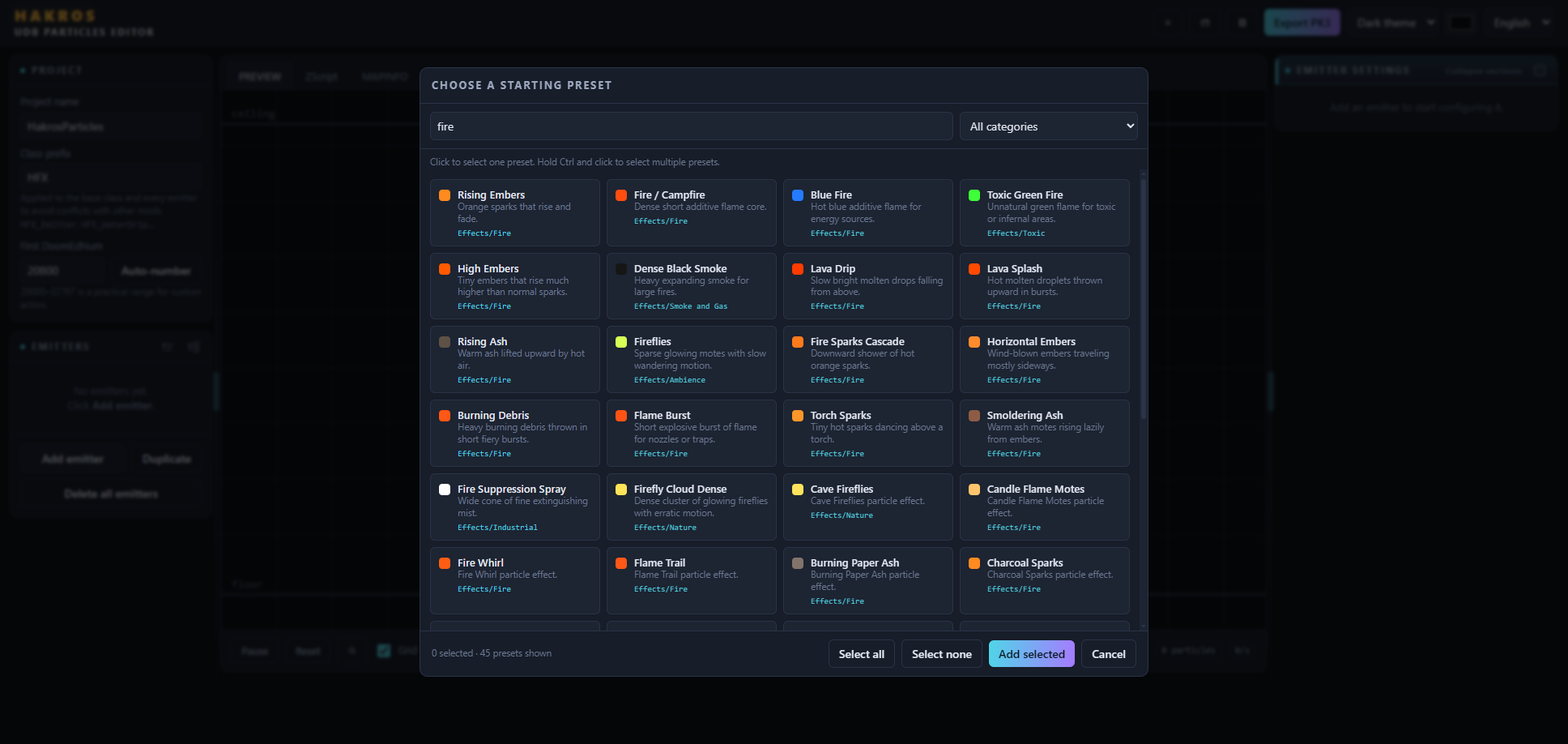
PRESET BROWSER
Around five hundred effects grouped by category and searchable by name or description. Click a card to select it, hold Ctrl to select several, and add them all at once. Select all and select none operate on the currently filtered set.
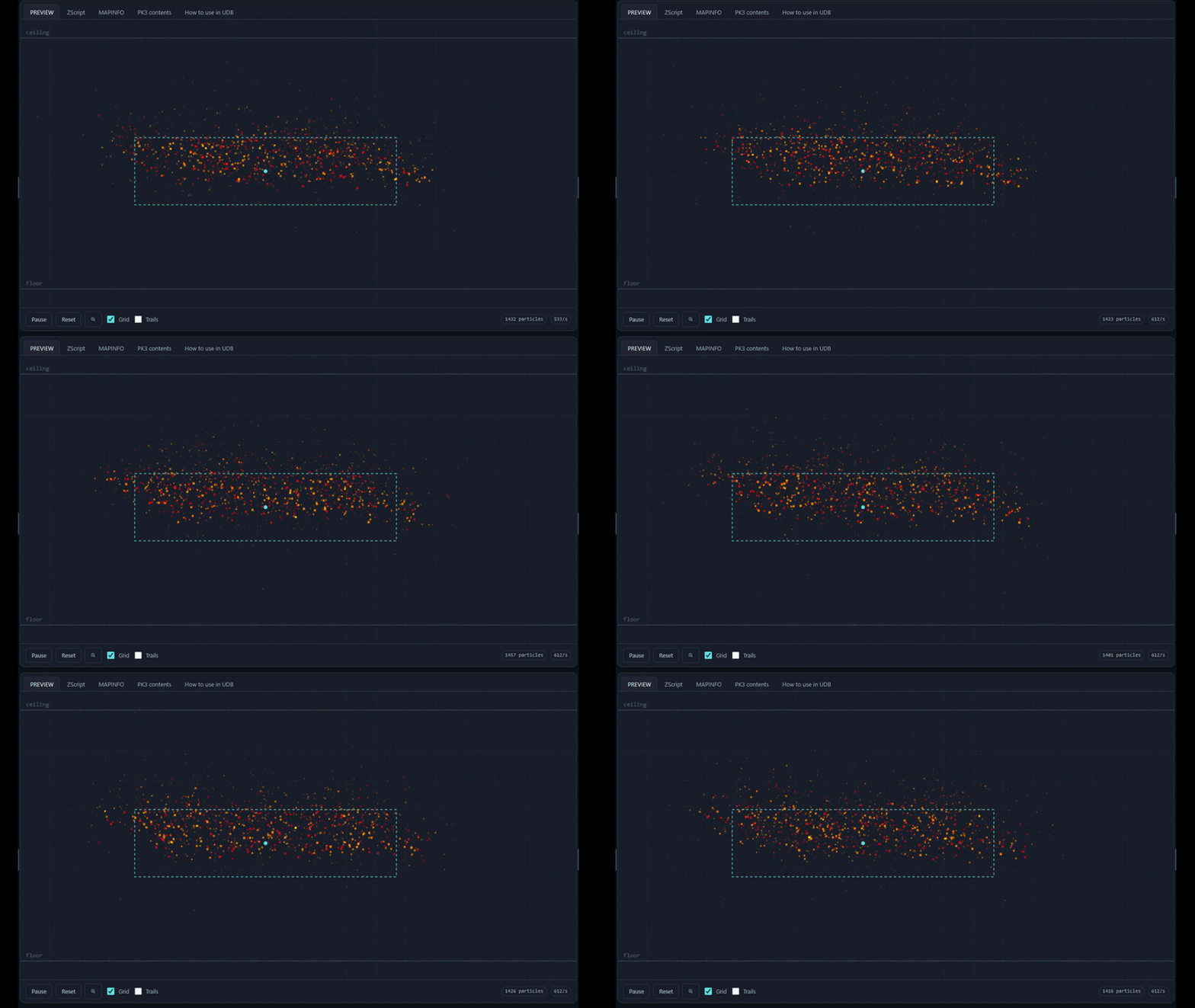
REAL-TIME PREVIEW
Thirty-five ticks per second, the same rate as the engine. Mouse wheel zoom, reference grid, particle trails, adjustable backdrop, live particle counter and emission rate, pause and restart.
A reach readout shows how far a particle actually travels before its lifetime runs out, calculated tick by tick from speed and gravity. It is the number that tells you whether your rain will reach the floor of a given room, and it removes the guesswork that otherwise turns lifetime tuning into trial and error.
EMITTER SETTINGS
Identity and editor keys, origin and shape, emission amount and timing, direction and motion, particle shape and texture, appearance, sound, performance and control. Every numeric parameter has both a slider and a numeric box, and every change is reflected immediately in the preview and in the generated code.
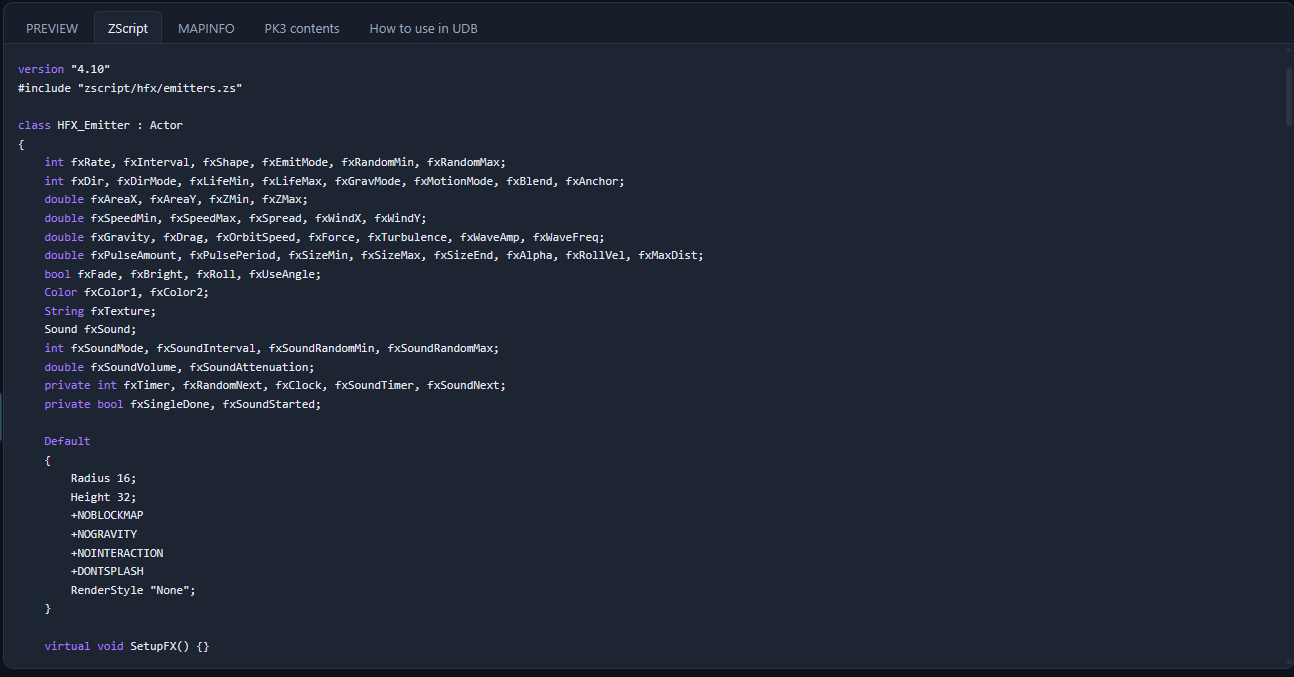
GENERATED CODE
The ZScript, the MAPINFO DoomEdNums block and the complete PK3 file tree, all visible before exporting. The output is ordinary readable ZScript with no obfuscation.
LIBRARY OF PRESETS
Choose from a collection of around 500 ready-made presets, each one a complete, working effect you can drop into a map straight away — and every parameter stays editable afterwards. Whatever the room needs, chances are it is already in the library.
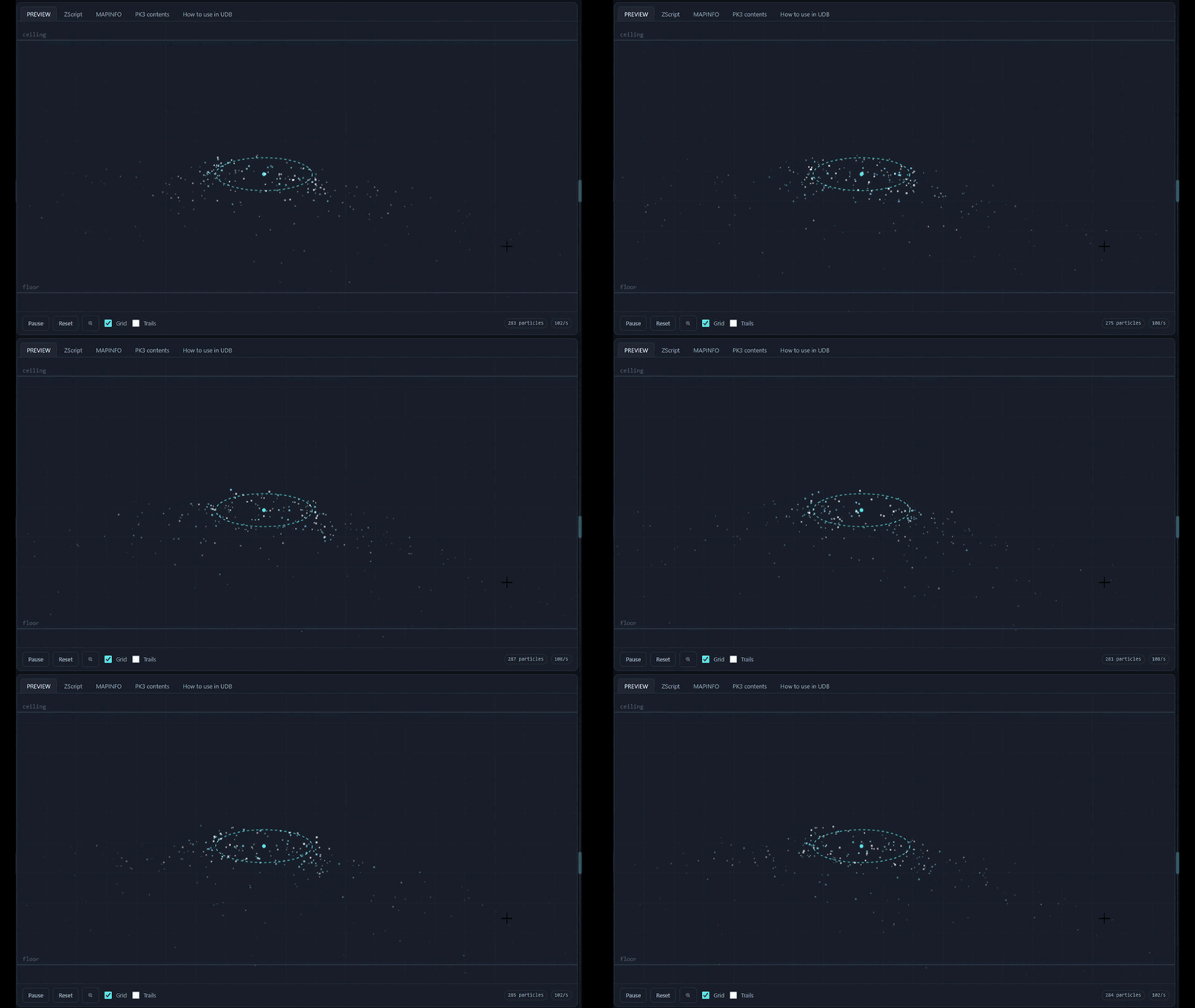
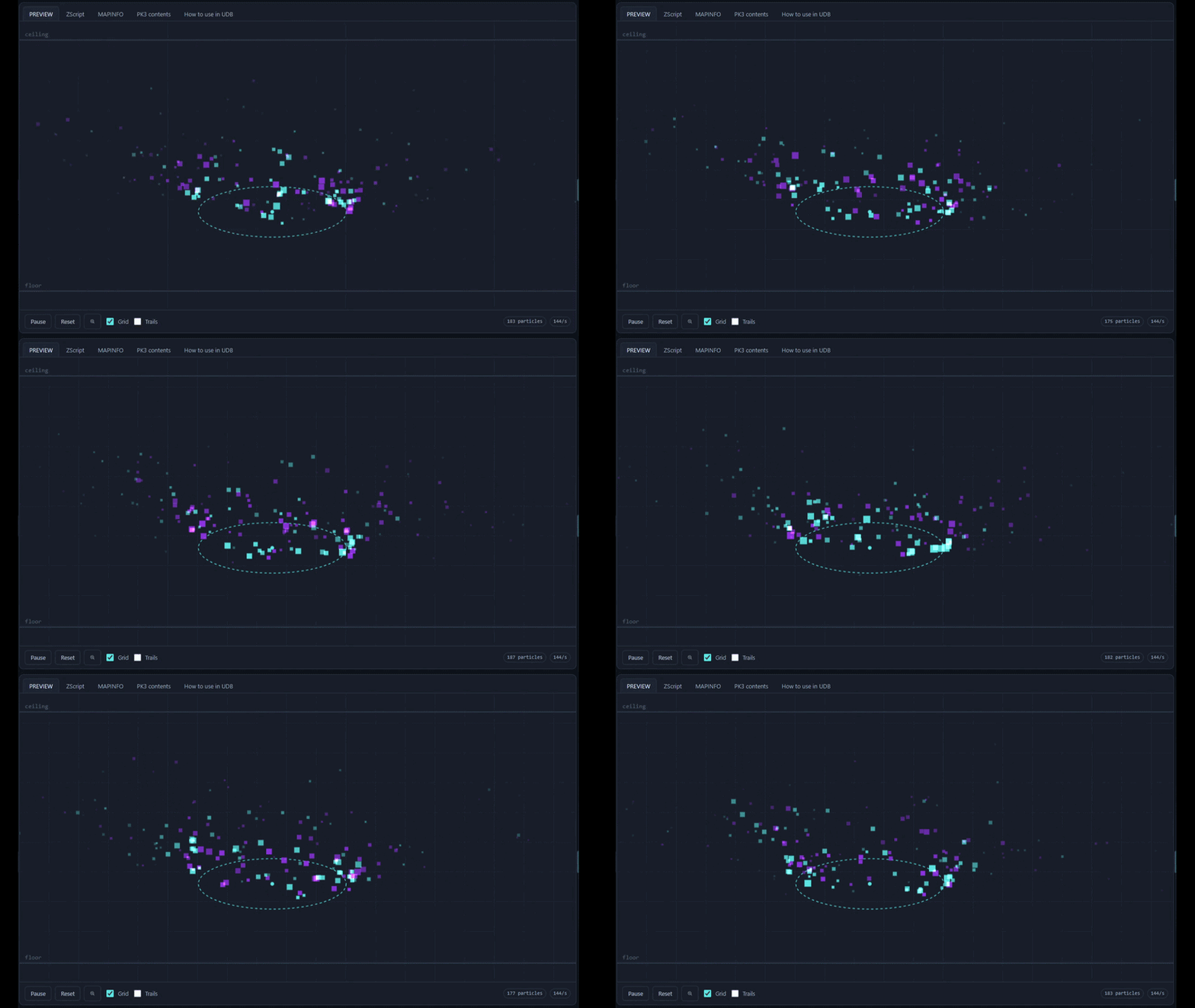
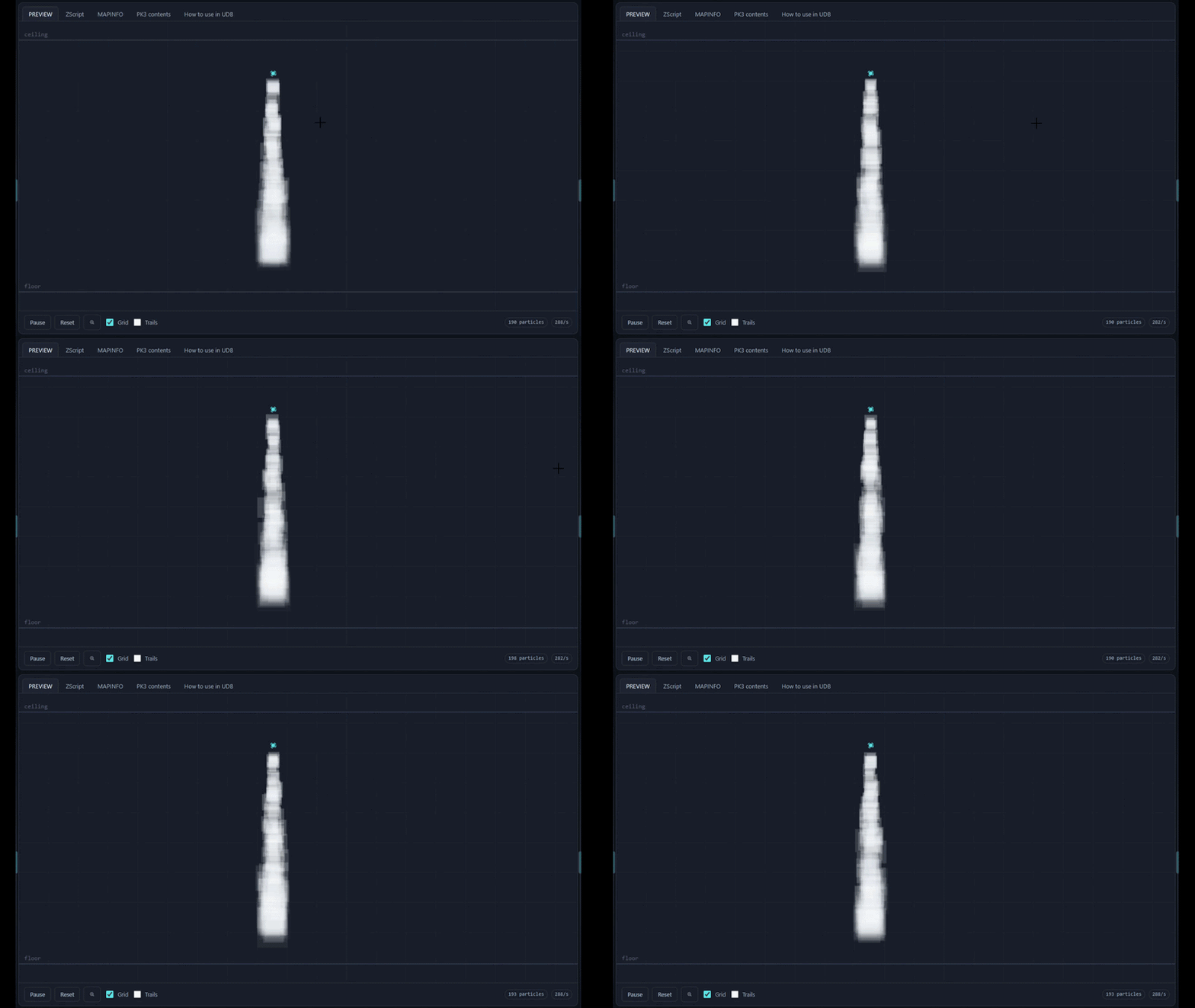
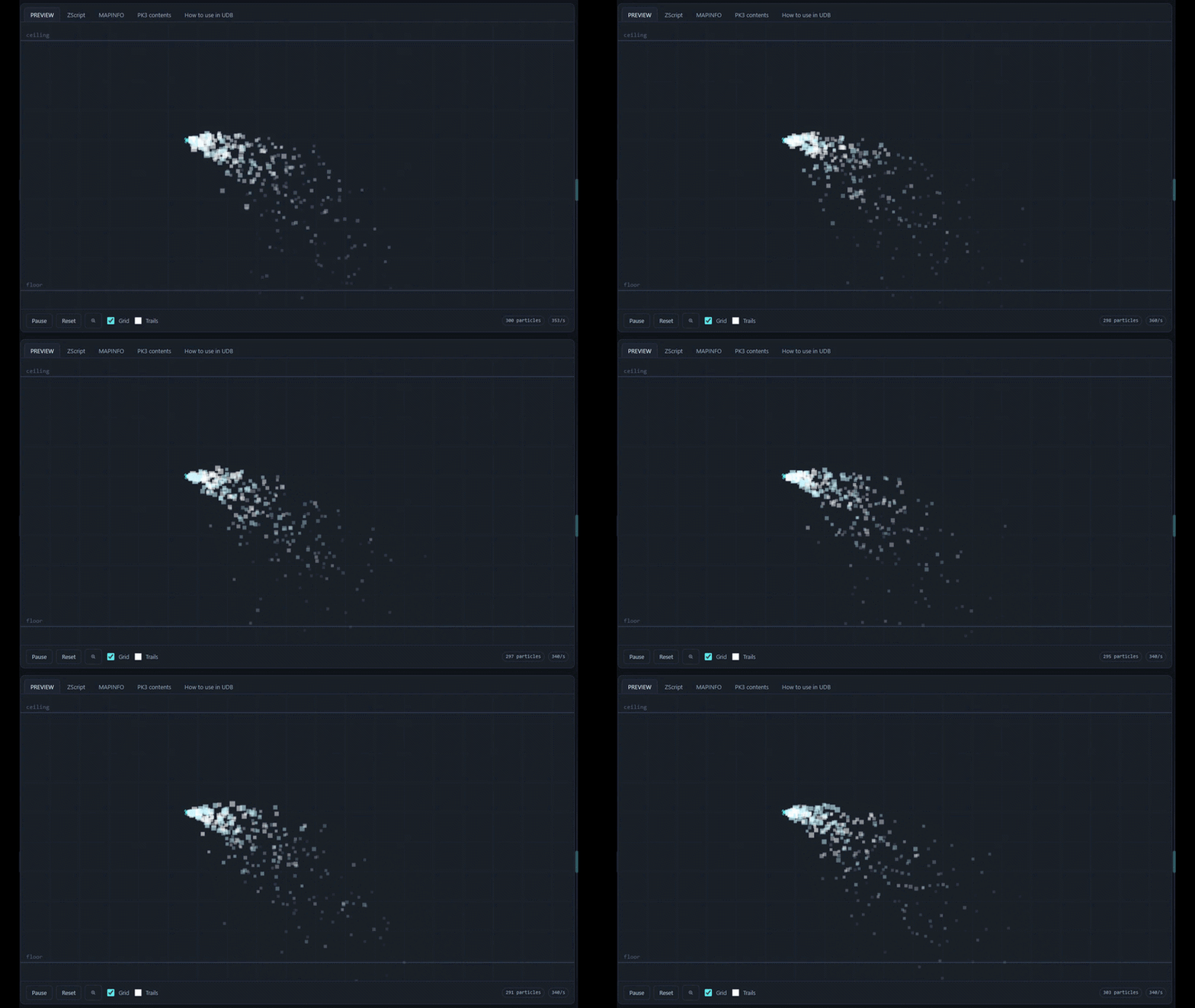
Rain, Downpour, Snow, Hail, Falling Ash, Sandstorm, Freezing Rain, Acid Rain, Waterfall, Fountain, Foam Spray, Geyser, Whirlpool Bubbles, Underwater Plankton, Broken Pipe Spray, Fire / Campfire, Rising Embers, Blue Fire, Fire Whirl, Torch Sparks, Flame Burst, Burning Debris, Chimney Smoke, Black Toxic Smoke, Steam Jet, Chlorine Gas, Heavy Floor Fog, Cryogenic Vapor, Welding Sparks, Grinder Sparks, Drill Dust, Hydraulic Leak, Furnace Exhaust, Metal Shavings, Tesla Sparks, Plasma Leak, Reactor Coolant, Data Stream, Hologram Pixels, EMP Burst, Star Dust, Solar Wind, Micro Meteorites, Nebula Particles, Warp Particles, Zero-G Debris, Arcane Fountain, Rune Orbit, Holy Motes, Necromancy Aura, Mana Vortex, Spell Discharge, Blood Rain, Hellfire Fountain, Burning Souls, Demon Ash, Corpse Flies, Brimstone Smoke, Falling Leaves, Cherry Blossom Storm, Fireflies, Pollen, Mushroom Spores, Dandelion Seeds, Bullet Impact Dust, Ricochet Sparks, Explosion Embers, Ceiling Collapse, Glass Shards, Rockfall. And that is only 70 of the 500.
Troubleshooting
UDB reports that the emitter class is trying to inherit from "actor" which does not exist. The base game classes have not been loaded. Add uzdoom.pk3 or gzdoom.pk3 as a resource above your own PK3 and reopen the map. If it is already there, your Ultimate Doom Builder build is older than your UZDoom, GZDoom and cannot parse the newer engine scripts, so update it.
The Thing appears as a red question mark. The same cause: the class could not be resolved, so the editor falls back to its unknown-Thing icon.
The effect works in UZDoom, GZDoom but nothing is visible in the map. A downward emitter left on the floor rains beneath the floor, where you cannot see it. Raise the Thing with the height field in UDB until the effect starts where you want it
Particles vanish in mid-air or sink through the floor. Particles do not collide with anything. Adjust the minimum and maximum lifetime until they fade out exactly where they should, watching the preview as a guide.
Frame rate drops in busy areas. Reduce the particles per emission, raise the interval, and above all set a maximum emission distance. UZDoom, GZDoom's own r_maxparticles console variable caps the total number of live particles engine-wide.
---
I'll hope you like it.
Greetings.
---
SEO
Doom modding, UZDoom, GZDoom, ZDoom, Ultimate Doom Builder, UDB, particle editor, particle emitter, ZScript generator, PK3 generator, rain effect, snow effect, waterfall, fountain, fire and smoke, sparks, weather effects, GZDoom particles, Level.SpawnParticle, DoomEdNum, MAPINFO, UDMF mapping, map decoration, ambient effects, Doom level design, mapping tools, PK3 workflow, web-based mod tools, no-code effects, Doom community, Gamemaker, Gml, Godot, Redot Engine, Love, Love2D
---
END USER LICENSE AGREEMENT (EULA)
Permission is hereby granted, free of charge, to any person obtaining a copy of this software and associated documentation files (the "Software"), to deal in the Software without restriction, including without limitation the rights to use, copy, publish, distribute copies of the Software, and to permit persons to whom the Software is furnished to do so, subject to the following conditions
THE SOFTWARE IS PROVIDED "AS IS", WITHOUT WARRANTY OF ANY KIND, EXPRESS OR IMPLIED, INCLUDING BUT NOT LIMITED TO THE WARRANTIES OF MERCHANTABILITY, FITNESS FOR A PARTICULAR PURPOSE, AND NONINFRINGEMENT. THE SOFTWARE MAY BE DISTRIBUTED, BUT ONLY FREE OF CHARGE. COMMERCIAL USE, COPYING, OR DISTRIBUTION OF THE SOFTWARE IS NOT PERMITTED WITHOUT PRIOR WRITTEN CONSENT FROM THE AUTHORS.
YOU MAY NOT DECOMPILE, REVERSE ENGINEER, DISASSEMBLE, MODIFY, BYPASS SECURITY MECHANISMS, OR ATTEMPT TO ACCESS THE INTERNAL SOURCE CODE OF THE SOFTWARE BY ANY MEANS. ANY SUCH ACTION IS STRICTLY PROHIBITED UNLESS EXPRESSLY AUTHORIZED IN WRITING BY THE AUTHORS.
IN NO EVENT SHALL THE AUTHORS OR COPYRIGHT HOLDERS BE LIABLE FOR ANY CLAIM, DAMAGES, OR OTHER LIABILITY, WHETHER IN AN ACTION OF CONTRACT, TORT, OR OTHERWISE, ARISING FROM, OUT OF, OR IN CONNECTION WITH THE SOFTWARE OR THE USE OR OTHER DEALINGS IN THE SOFTWARE.
Download
Install instructions

Development log
- Release 1.187 days ago
Leave a comment
Log in with itch.io to leave a comment.